プロンプトエンジニアリング基礎
このモジュールで学ぶこと
- 効果的なプロンプトの書き方の原則
- 写真・映画用語を使ったカメラ制御
- プロンプトの7つの必須要素
- 避けるべき表現と代替手法
学習目標
このモジュールを終えると、以下のことができるようになります:
- ナラティブ記述でシーンを詳細に表現できる
- 写真・映画用語でカメラアングルや照明を制御できる
- 7つの必須要素を含むプロンプトを作成できる
- セマンティック負のプロンプトを活用できる
目次
- 事前準備
- セクション1: プロンプトの基本原則
- セクション2: 写真・映画用語でカメラ制御
- セクション3: 3つの必須要素
- セクション4: 7つの必須要素テンプレート
- セクション5: セマンティック負のプロンプト
- セクション6: 段階的な改善
- セクション7: 実践演習
- トラブルシューティング
- まとめ
- よくある質問
事前準備
必要なもの
スクリプトの更新
このモジュールからはプロンプトエンジニアリングに集中するため、スクリプトを更新します。このスクリプトはテキストからの画像生成に対応しています。
(参照画像を使用する場合は、キャラクター一貫性でスクリプトを拡張します)
C:\nanobanana\generate_image.py を以下の内容で上書きしてください:
import os
import sys
from datetime import datetime
from dotenv import load_dotenv
from google import genai
from google.genai import types
from PIL import Image
import io

def generate_image(prompt, output_filename=None, aspect_ratio="1:1"):
    """プロンプトから画像を生成する

    Args:
        prompt: 画像生成プロンプト
        output_filename: 出力ファイル名(省略時はタイムスタンプ)
        aspect_ratio: アスペクト比("1:1", "16:9", "9:16", "3:4", "4:3")
    """

    load_dotenv()
    client = genai.Client(api_key=os.getenv("GOOGLE_API_KEY"))

    print(f"プロンプト: {prompt[:50]}..." if len(prompt) > 50 else f"プロンプト: {prompt}")
    print(f"アスペクト比: {aspect_ratio}")
    print("生成中...")

    response = client.models.generate_content(
        model="gemini-2.5-flash-image",
        contents=prompt,
        config=types.GenerateContentConfig(
            response_modalities=['IMAGE'],
            image_config=types.ImageConfig(aspect_ratio=aspect_ratio)
        )
    )

    for part in response.candidates[0].content.parts:
        if hasattr(part, 'inline_data'):
            image = Image.open(io.BytesIO(part.inline_data.data))

            # ファイル名が指定されていなければタイムスタンプで生成
            if output_filename is None:
                timestamp = datetime.now().strftime("%Y%m%d_%H%M%S")
                output_filename = f"generated_{timestamp}.png"

            image.save(output_filename)
            print(f"画像を保存しました: {output_filename}")
            return image

    print("画像の生成に失敗しました")
    return None

if __name__ == "__main__":
    if len(sys.argv) < 2:
        print("使い方: python generate_image.py \"プロンプト\" [出力ファイル名] [アスペクト比]")
        print("")
        print("例:")
        print('  python generate_image.py "A cute cat"')
        print('  python generate_image.py "A cute cat" cat.png')
        print('  python generate_image.py "A cute cat" cat.png 16:9')
        print("")
        print("アスペクト比: 1:1(デフォルト), 16:9, 9:16, 3:4, 4:3")
        sys.exit(1)

    prompt = sys.argv[1]
    output = sys.argv[2] if len(sys.argv) > 2 else None
    ratio = sys.argv[3] if len(sys.argv) > 3 else "1:1"

    generate_image(prompt, output, ratio)
追加ライブラリのインストール
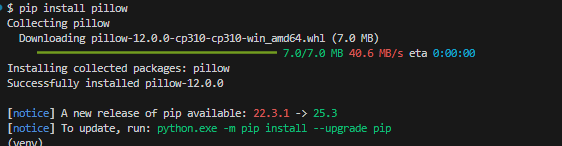
完全版スクリプトはPIL(画像処理ライブラリ)を使用します。以下を実行してインストールしてください(PowerShell、Git Bash共通):
pip install pillow
インストールの実行結果:
使い方(PowerShell、Git Bash共通)
# 基本
python generate_image.py "プロンプト"

# ファイル名指定
python generate_image.py "プロンプト" output.png

# アスペクト比指定(縦長)
python generate_image.py "プロンプト" output.png 3:4
チェックポイント
-
generate_image.pyを完全版に更新した -
pip install pillowを実行した -
python generate_image.pyでヘルプが表示される
セクション1: プロンプトの基本原則
1-1. ナラティブ記述 vs キーワード列挙
Nanobananaで最も重要な原則は**「シーンを物語として描写する」**ことです。
Google公式データ:
- ナラティブ記述: 94% のシーン一貫性
- キーワード列挙: 61% のシーン一貫性
生成したい画像の意図
以下のシーンを生成したい:
| 要素 | 意図 |
|---|---|
| 猫 | オレンジ色のふわふわしたタビー猫 |
| 場所 | クッション付きの窓辺に座っている |
| 天気 | 雨が窓ガラスを伝っている |
| 照明 | 近くのランプが猫の毛並みに琥珀色のハイライトを作る |
| 雰囲気 | 灰色の午後の光が雨で濡れた窓から差し込む、cozyな雰囲気 |
この同じ意図を、2つの方法で書いてみます。
悪い例(キーワード列挙)
cat, window, rain, cozy, warm light
キーワードの羅列では、各要素がどう関係するのか不明確です。AIは「猫がどこにいるのか」「雨と猫の関係は何か」「光はどこから来るのか」を推測するしかありません。
良い例(ナラティブ記述)
A fluffy orange tabby cat sits contentedly on a cushioned window sill,
watching raindrops trace paths down the glass. The warm glow of a
nearby lamp casts soft amber highlights on the cat's fur, while the
grey afternoon light filters through the rain-streaked window.
ナラティブ記述では意図を明確に伝えます:
- 猫: fluffy orange tabby(オレンジ色のふわふわタビー)
- 場所: sits on a cushioned window sill(クッション付き窓辺に座る)
- 雨: watching raindrops trace paths down the glass(雨が窓を伝うのを見ている)
- 照明: warm glow of a nearby lamp casts soft amber highlights(ランプが琥珀色のハイライト)
- 雰囲気: grey afternoon light filters through(灰色の午後の光が差し込む)
1-2. 実践:同じテーマで比較
上記の2つのプロンプトで実際に画像を生成し、結果を比較してみましょう。
以下のボタンをクリックすると、Pythonコマンドジェネレータが開きます。プロンプトやファイル名を自由に編集でき、コマンドをコピーして実行できます。
Step 1: キーワード列挙(悪い例)で生成
クリックしてPythonコマンドを生成
Step 2: ナラティブ記述(良い例)で生成
クリックしてPythonコマンドを生成
Step 3: 2つの画像を比較
生成例:
| キーワード列挙(悪い例) | ナラティブ記述(良い例) |
|---|---|
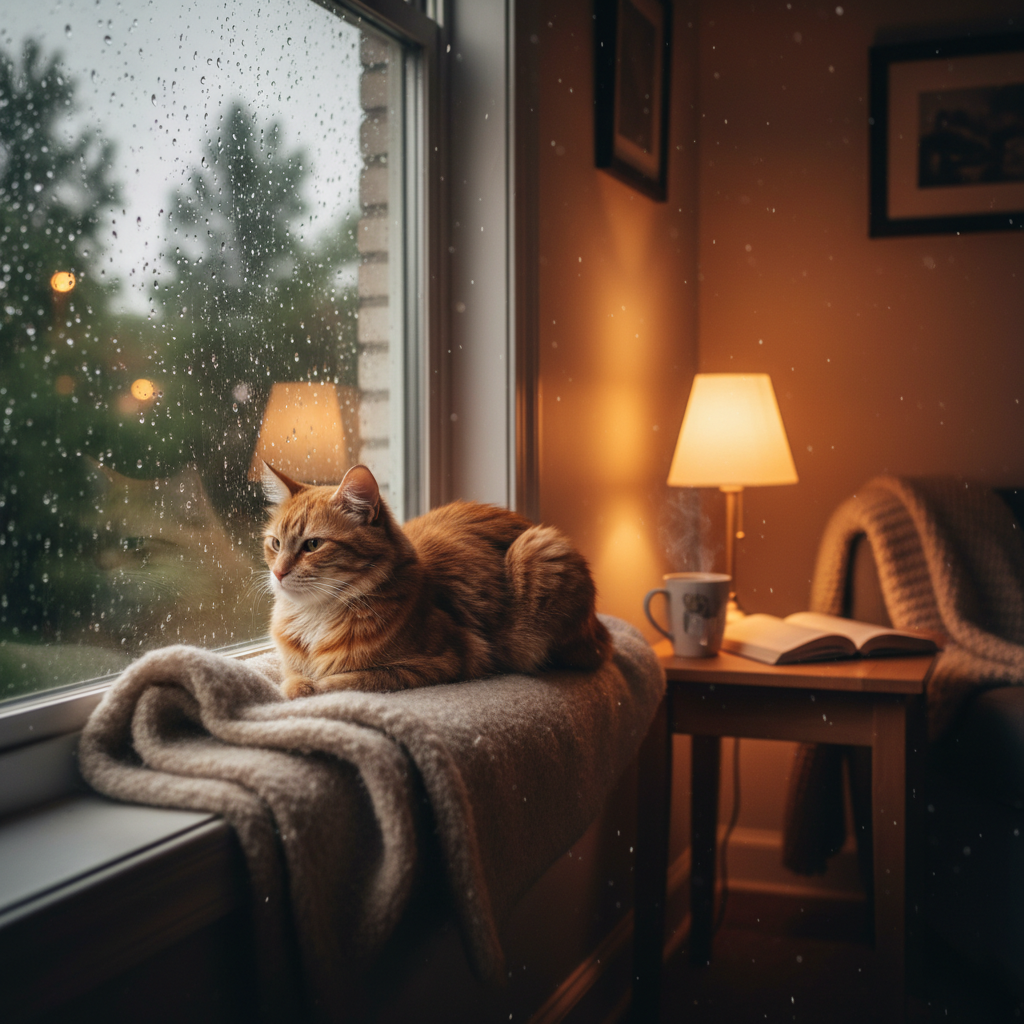 | 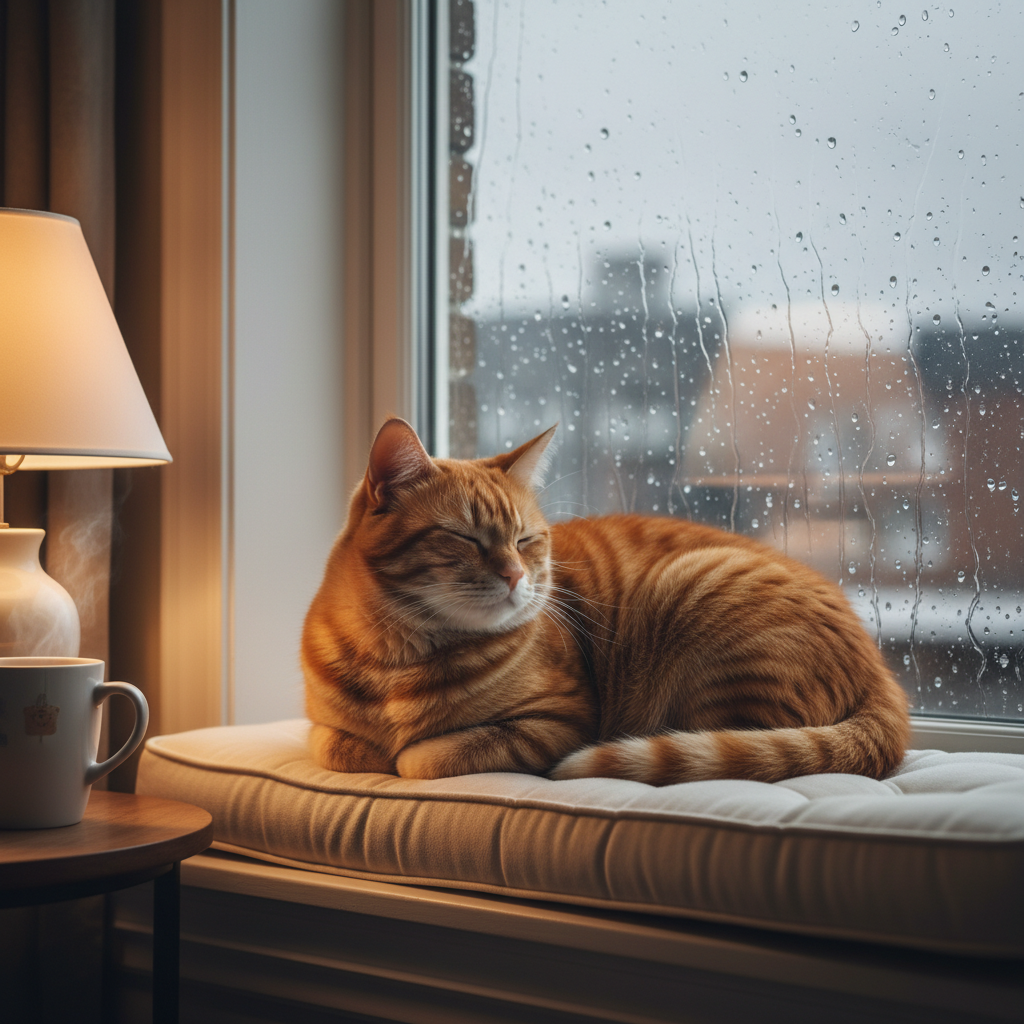 |
生成結果の評価
| 意図した要素 | キーワード列挙 | ナラティブ記述 | 備考 |
|---|---|---|---|
| オレンジ色のふわふわタビー猫 | △ | ○ | キーワードに「orange」「tabby」の指定なし→AIが推測 |
| クッション付き窓辺に座っている | × | ○ | キーワード版は毛布の上、クッションではない |
| 雨が窓を伝っている | △ | ○ | キーワード版は部屋の中にも雨粒が浮いている |
| ランプが琥珀色のハイライトを作る | ○ | ○ | |
| 灰色の午後の光 | ○ | ○ |
キーワード列挙の問題点:
キーワード cat, window, rain, cozy, warm light には以下の情報が欠けている:
- 猫の色や種類 → AIが勝手に決定(たまたまオレンジ)
- 猫の位置と座る場所 → 毛布の上になった(クッションではない)
- 雨の場所 → 部屋の中にも雨粒が浮いてしまった
ナラティブ記述の利点:
全ての要素を明示的に指定しているため、意図通りの画像が生成される。これが「94% vs 61%の一貫性」の差につながる。
チェックポイント
- ナラティブ記述とキーワード列挙の違いを理解した
- 両方のプロンプトで画像を生成し、違いを確認した
セクション2: 写真・映画用語でカメラ制御
2-1. カメラアングルと構図
Nanobananaは写真・映画用語を理解し、構図を正確に制御できます。
| 用語 | 効果 | 使用例 |
|---|---|---|
wide-angle shot | 広角撮影(広い空間を表現) | 風景、建物全体 |
close-up shot | クローズアップ(詳細を強調) | 顔、商品詳細 |
extreme close-up | 超クローズアップ | 目、テクスチャ |
macro shot | 接写(微細なディテール) | 花、虫、宝石 |
low-angle perspective | 見上げ構図(威厳・迫力) | ビル、巨大なキャラクター |
high-angle perspective | 見下ろし構図(俯瞰) | 都市景観、群衆 |
Dutch angle | 斜め構図(緊張感・不安) | ホラー、アクション |
over-the-shoulder shot | 肩越しショット | 会話シーン |
2-2. レンズ効果
| 用語 | 効果 | 使用例 |
|---|---|---|
85mm portrait lens | ポートレート向けボケ | 人物撮影 |
35mm lens | 標準的な視野角 | 日常スナップ |
wide-angle lens | 広角(遠近感強調) | 建築、風景 |
fish-eye lens | 魚眼(歪曲効果) | アート、特殊効果 |
telephoto lens | 望遠(圧縮効果) | 野生動物、スポーツ |
2-3. 被写界深度
| 用語 | 効果 |
|---|---|
shallow depth of field | 背景ボケ(被写体を強調) |
deep depth of field | 全体にピント |
bokeh | 美しいボケ表現 |
f/1.4 aperture | 非常に浅いピント |
f/2.8 aperture | ポートレート向きのボケ |
2-4. 実践:カメラ用語を活用
ポートレート風
意図:プロ写真家が85mmレンズで撮影したような女性ポートレート
| 要素 | 意図 |
|---|---|
| 被写体 | 茶色い目の若い女性のクローズアップ |
| レンズ | 85mmポートレートレンズ、f/2.8 |
| 被写界深度 | 浅い(背景ボケ) |
| 照明 | 左からの柔らかい窓光、優しい影 |
| 背景 | ぼかした庭、美しいボケ |
A photorealistic close-up portrait of a young woman with warm brown eyes.
Shot with an 85mm portrait lens, f/2.8 aperture, shallow depth of field.
Soft natural window light from the left side creates gentle shadows.
Background is a blurred garden with beautiful bokeh.
クリックしてPythonコマンドを生成
生成例:
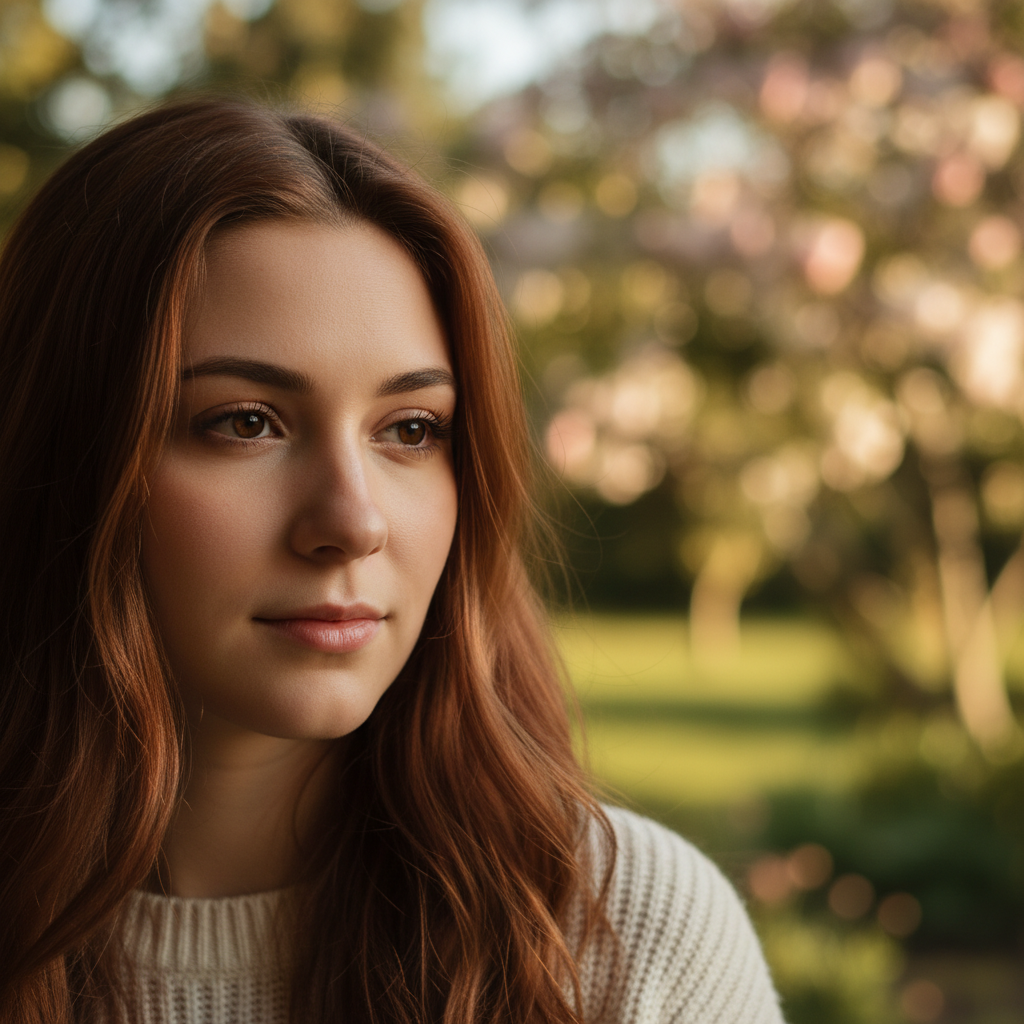
評価:
| 意図した要素 | 結果 |
|---|---|
| 茶色い目の若い女性 | ○ |
| クローズアップ構図 | ○ |
| 浅い被写界深度(背景ボケ) | ○ |
| 柔らかい照明と優しい影 | ○ |
| 庭の背景とボケ | ○ |
カメラ用語(85mm、f/2.8、shallow depth of field)が正しく解釈され、プロ写真のような仕上がりになりました。
建築写真風
意図:広角レンズで見上げる構図の高層ビル写真
| 要素 | 意図 |
|---|---|
| 被写体 | モダンなガラス製高層ビル |
| 構図 | ローアングル(見上げ)の迫力ある構図 |
| レンズ | 広角レンズ |
| 被写界深度 | 深い(全体にピント) |
| 空 | ゴールデンアワーのドラマチックな曇り空 |
A modern glass skyscraper photographed from a low-angle perspective,
shot with a wide-angle lens. The building towers against a dramatic
cloudy sky at golden hour. Deep depth of field captures both the
building and the dramatic clouds in sharp focus.
クリックしてPythonコマンドを生成
生成例:
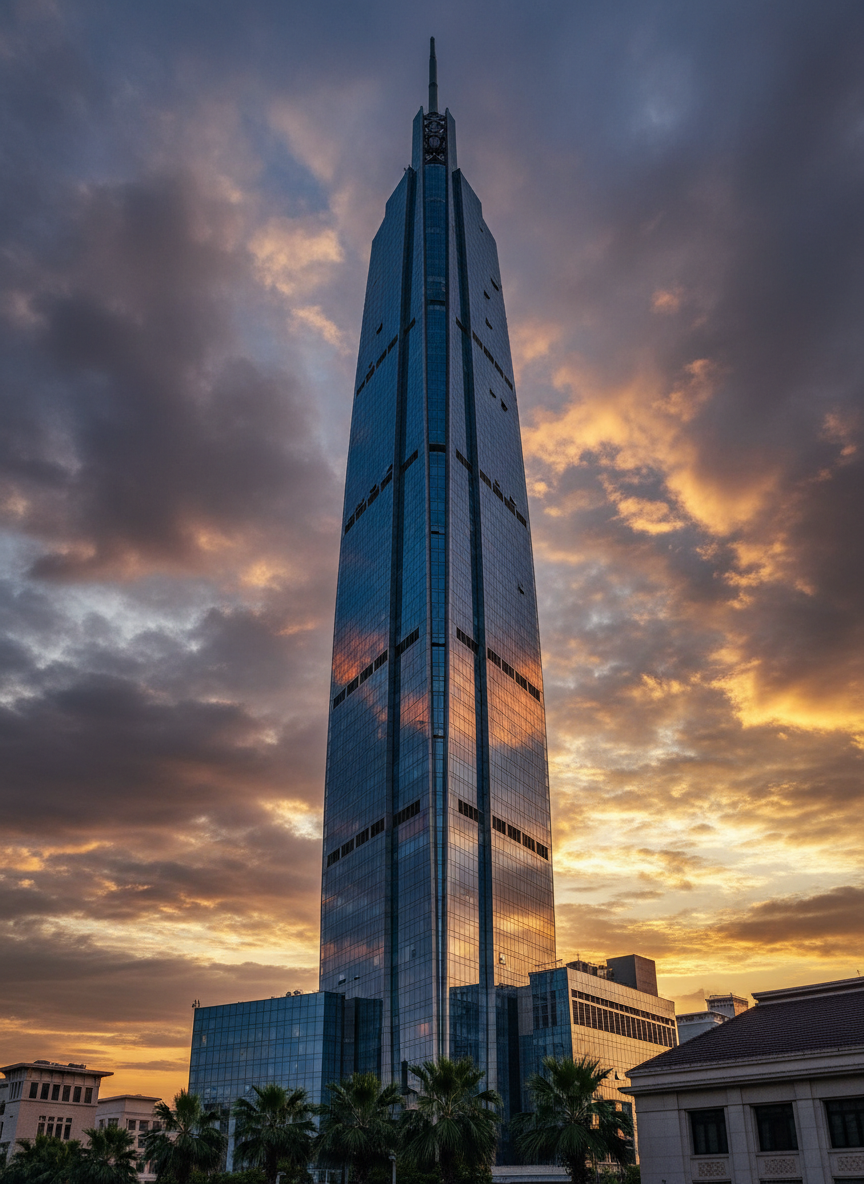
評価:
| 意図した要素 | 結果 |
|---|---|
| モダンなガラス製高層ビル | ○ |
| ローアングル(見上げ)構図 | ○ |
| ゴールデンアワーの空 | ○ |
| ドラマチックな曇り空 | ○ |
| 全体にシャープなピント | ○ |
low-angle perspectiveとwide-angle lensの指定により、ビルが威厳を持って見上げる構図になりました。
チェックポイント
- カメラアングル用語を理解した
- レンズ効果の違いを理解した
- 実際に生成して効果を確認した
セクション3: 3つの必須要素
効果的なプロンプトには、以下の3つの要素が必須です。
3-1. 空間関係を明示
オブジェクト間の位置関係を具体的に記述します。
| 用語 | 意味 |
|---|---|
beside | 〜の横に |
behind | 〜の後ろに |
overlooking | 〜を見下ろして |
nestled between | 〜の間に挟まれて |
in the foreground | 前景に |
in the background | 背景に |
to the left of | 〜の左側に |
emerging from | 〜から現れて |
意図:空間関係を明示したコテージの風景
| 要素 | 意図 |
|---|---|
| 主体 | 小さなコテージ |
| 位置関係 | 2本の古いオークの木の間に挟まれている(nestled between) |
| 前景 | ドアに続く曲がりくねった小道 |
| 背景 | 霧のかかった山々 |
例:
A small cottage nestled between two ancient oak trees,
with a winding path leading to its door in the foreground,
and misty mountains visible in the background.
クリックしてPythonコマンドを生成
生成例:
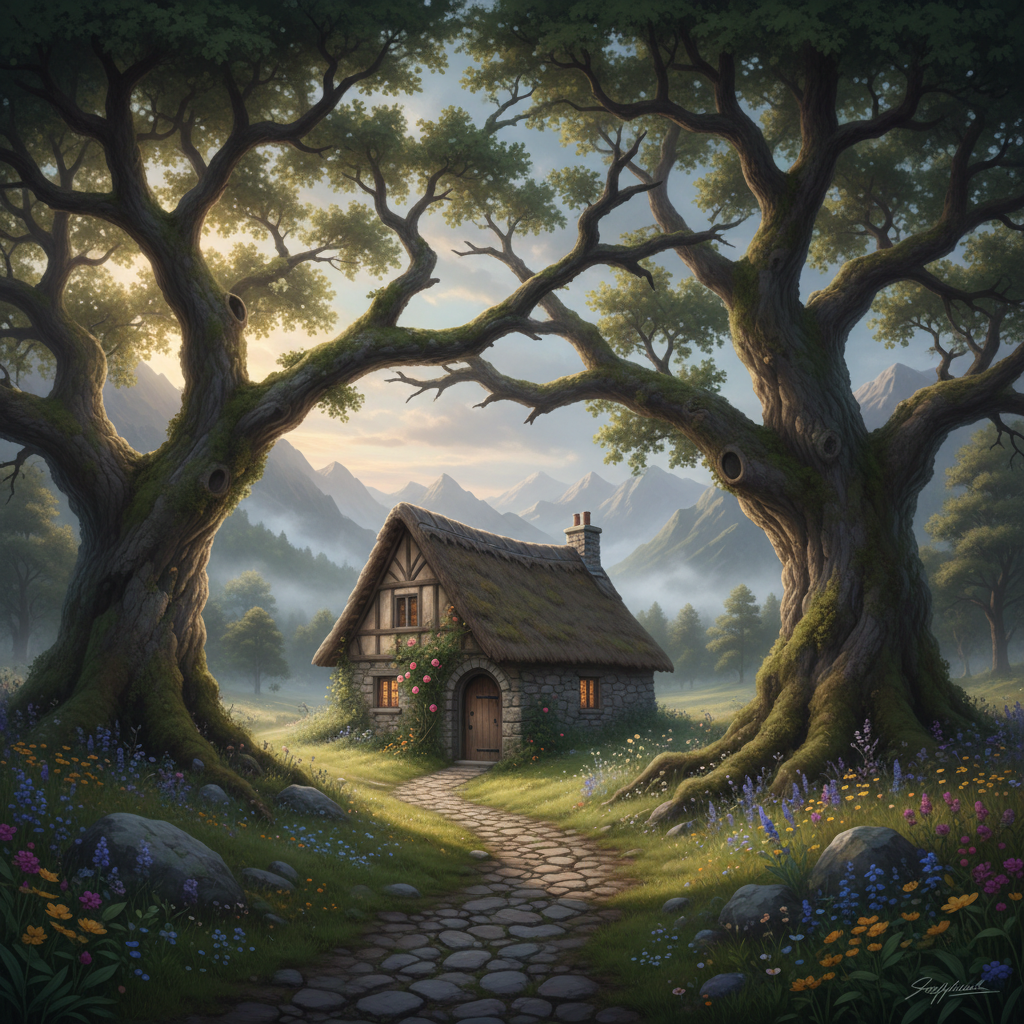
評価:
| 意図した要素 | 結果 |
|---|---|
| 小さなコテージ | ○ |
| 2本のオークの木の間 | ○ |
| 前景に曲がりくねった小道 | ○ |
| 背景に霧のかかった山々 | ○ |
空間関係(nestled between、in the foreground、in the background)が正確に反映されています。
3-2. 照明を詳細に
照明は雰囲気を決定する最重要要素です。
| 用語 | 効果 |
|---|---|
harsh midday sun | 強い日差し(コントラスト強) |
soft diffused light | 柔らかい拡散光 |
golden hour glow | 黄金時間の温かい光 |
blue hour | 日没後の青い光 |
candlelit warmth | ろうそくの温かみ |
dramatic backlighting | ドラマチックな逆光 |
studio lighting | スタジオ照明 |
rim lighting | 輪郭を強調する光 |
ambient light | 環境光 |
意図:ゴールデンアワーの照明が特徴的な室内
| 要素 | 意図 |
|---|---|
| 主光源 | ゴールデンアワーの日差しが窓から差し込む |
| 影 | 木製の床に長く温かい影が落ちる |
| 補助光 | 柔らかい環境光が部屋を満たす |
例:
Golden hour sunlight streaming through the window,
casting long warm shadows across the wooden floor,
with soft ambient light filling the room.
クリックしてPythonコマンドを生成
生成例:
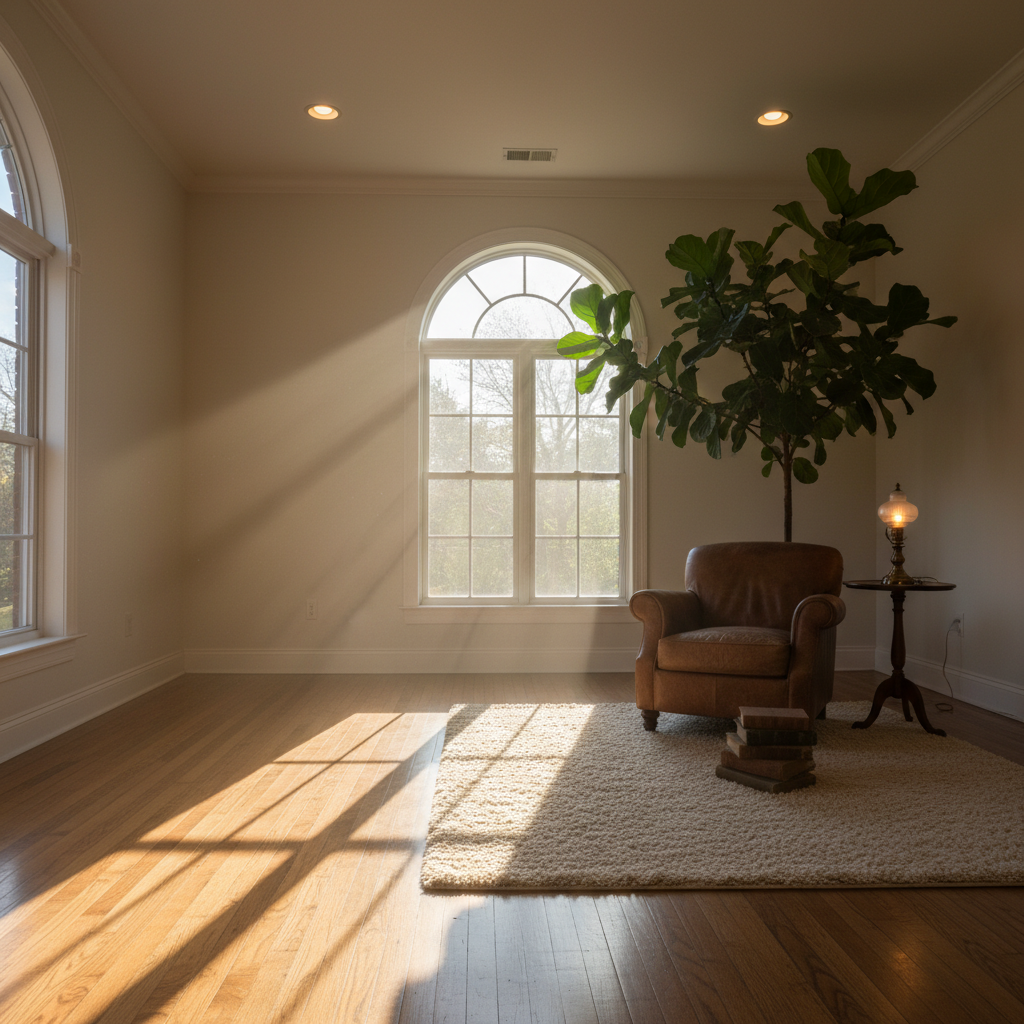
評価:
| 意図した要素 | 結果 |
|---|---|
| ゴールデンアワーの日差し | ○ |
| 窓から差し込む光 | ○ |
| 木製の床に長い影 | ○ |
| 柔らかい環境光 | ○ |
照明の指定(golden hour、streaming through、casting shadows、ambient light)が正確に反映されています。
3-3. 動詞で動きを表現
静的な画像でも、動詞で動きを暗示させます。
| 動詞 | 効果 |
|---|---|
leaping | 跳躍している |
pouring | 注いでいる |
rustling | 風でそよいでいる |
floating | 浮かんでいる |
swirling | 渦巻いている |
cascading | 流れ落ちている |
flickering | ちらついている |
drifting | 漂っている |
意図:動詞で動きを表現した桜のシーン
| 要素 | 意図 |
|---|---|
| 花びら | 春風に漂っている(drifting) |
| 足元 | 花びらが渦巻いている(swirling) |
| 髪 | 風に優しくそよいでいる(rustling) |
例:
Cherry blossom petals drifting in the gentle spring breeze,
a few petals swirling around the young woman's feet,
her hair rustling softly in the wind.
クリックしてPythonコマンドを生成
生成例:
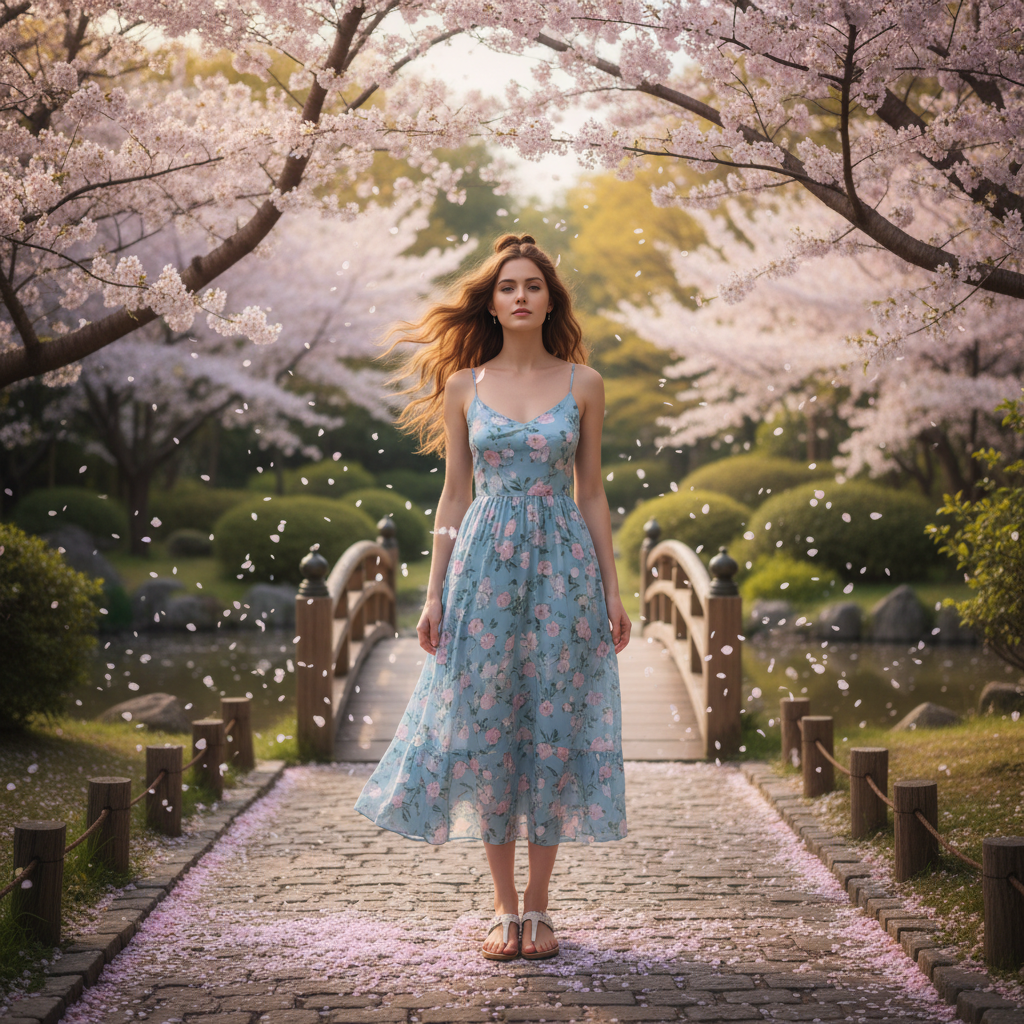
評価:
| 意図した要素 | 結果 |
|---|---|
| 桜の花びらが漂っている | ○ |
| 足元で花びらが舞っている | ○ |
| 髪が風になびいている | ○ |
動詞(drifting、swirling、rustling)によって、静止画でも動きが感じられる画像になりました。
3-4. 実践:3つの要素を組み合わせる
空間関係・照明・動きの3要素を全て含むプロンプトを試してみましょう。
意図:3つの要素を組み合わせた書店の風景
| 要素 | 意図 |
|---|---|
| 空間関係 | 老人が窓の横の革張りの椅子に座る(beside)、前景にテーブル、背景に本棚が影の中へ |
| 照明 | 午後の温かい日差しが高い窓から差し込む |
| 動き | 埃の粒子が日差しの中を漂っている(float) |
A cozy bookshop interior with floor-to-ceiling shelves.
An elderly man sits in a leather armchair beside the window,
reading a worn book. Dust particles float in the warm afternoon
sunlight streaming through the tall windows. Books are stacked
precariously on a small table in the foreground, while more
shelves recede into shadow in the background.
クリックしてPythonコマンドを生成
生成例:
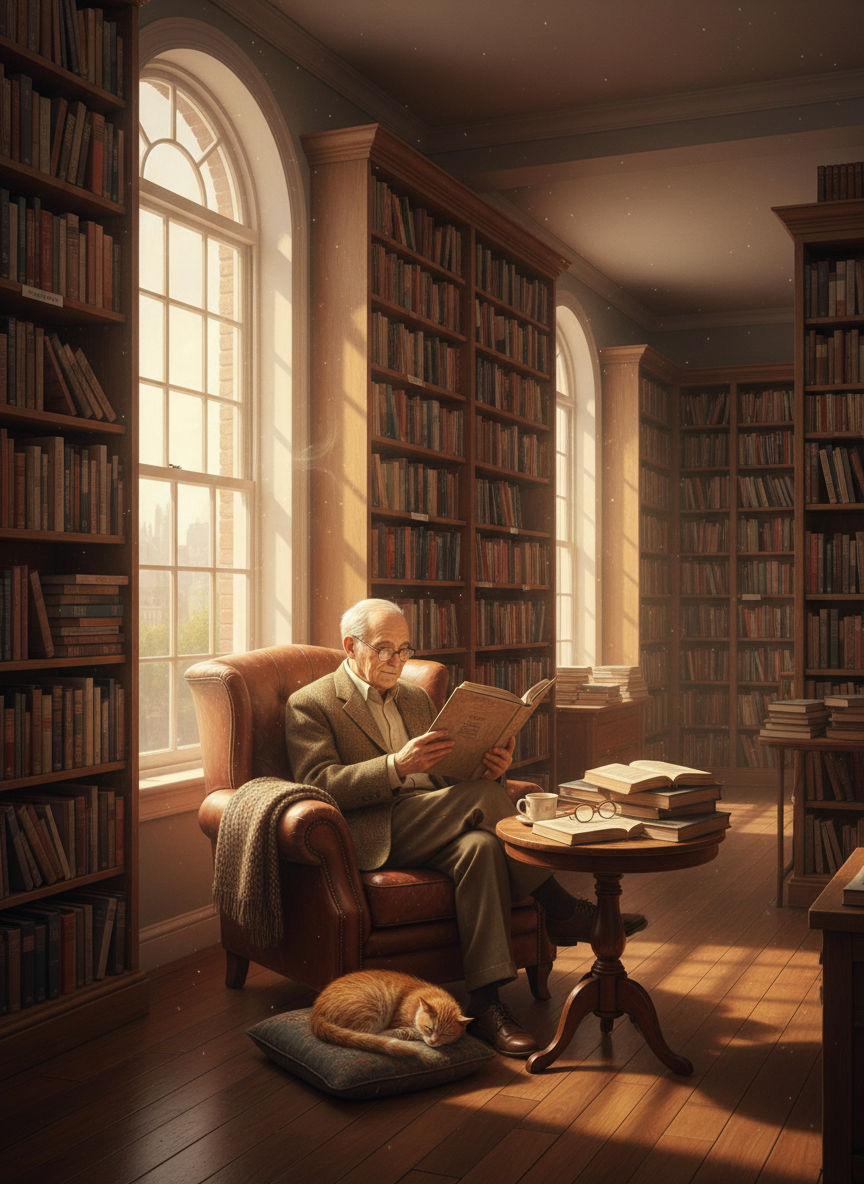
評価:
| 意図した要素 | 結果 |
|---|---|
| 床から天井までの本棚 | ○ |
| 窓の横の革張り椅子に座る老人 | ○ |
| 午後の日差しが窓から差し込む | ○ |
| 前景にテーブルと本 | △ |
| 背景に影の中の本棚 | ○ |
3つの要素(空間関係・照明・動き)を組み合わせることで、雰囲気のある画像が生成されました。
チェックポイント
- 空間関係の表現方法を理解した
- 照明の指定方法を理解した
- 動詞による動きの表現を理解した
セクション4: 7つの必須要素テンプレート
プロフェッショナルな画像生成には、以下の7つの要素を含めます。
| # | 要素 | 説明 | 例 |
|---|---|---|---|
| 1 | Subject Identity | 被写体の詳細な特徴 | 「30-year-old Japanese woman with shoulder-length black hair」 |
| 2 | Professional Context | 用途・カテゴリ | 「corporate headshot」「manga panel」「product photo」 |
| 3 | Clothing & Styling | 服装・スタイリング | 「tailored navy blazer over white blouse」 |
| 4 | Expression & Pose | 表情・ポーズ | 「confident smile, direct eye contact, squared shoulders」 |
| 5 | Lighting Setup | 照明設定 | 「soft diffused front lighting」「golden hour backlighting」 |
| 6 | Background | 背景 | 「neutral gray gradient」「blurred office with windows」 |
| 7 | Technical Specs | 技術仕様 | 「85mm lens, f/2.8, shallow depth of field」 |
4-1. テンプレート
[Subject Identity]: A [age]-year-old [ethnicity] [gender] with [hair] and [features].
[Professional Context]: [use case / style].
[Clothing & Styling]: Wearing [detailed clothing description].
[Expression & Pose]: [expression], [pose description].
[Lighting Setup]: [lighting type and direction].
[Background]: [background description].
[Technical Specs]: [camera/lens specs].
4-2. 実践例:ビジネスポートレート
意図:7つの要素を全て含むプロのビジネスポートレート
| 要素 | 意図 |
|---|---|
| Subject Identity | 35歳の自信のある日本人ビジネスマン |
| Professional Context | プロフェッショナルなヘッドショット |
| Clothing & Styling | チャコールグレーのピンストライプスーツ、白いシャツ、バーガンディのシルクタイ |
| Expression & Pose | 控えめな自信ある笑顔、直接のアイコンタクト、肩を正す |
| Lighting Setup | 柔らかい拡散フロントライト、リムライトで背景から分離 |
| Background | ニュートラルグレーのスタジオグラデーション |
| Technical Specs | 85mmポートレートレンズ、f/2.8、シャープな顔、滑らかなボケ |
A confident 35-year-old Japanese businessman in a professional headshot.
Wearing a tailored charcoal suit with a subtle pinstripe, crisp white
dress shirt, and burgundy silk tie.
Expression: Subtle confident smile with direct eye contact.
Posture: Slight squared shoulders projecting professionalism.
Lighting: Soft diffused front lighting eliminating harsh shadows,
with subtle rim light separating subject from background.
Background: Neutral gray studio gradient.
Technical: 85mm portrait lens, f/2.8 aperture, sharp facial details
with smooth background bokeh.
クリックしてPythonコマンドを生成
生成例:

評価:
| 意図した要素 | 結果 |
|---|---|
| 35歳の日本人ビジネスマン | ○ |
| チャコールグレーのピンストライプスーツ | ○ |
| 白いシャツ、バーガンディのタイ | ○ |
| 控えめな自信ある笑顔 | ○ |
| ニュートラルグレーの背景 | ○ |
| シャープな顔、滑らかなボケ | ○ |
7つの要素を全て指定することで、プロのヘッドショットのような画像が生成されました。
4-3. 実践例:ファンタジーキャラクター
意図:7つの要素を全て含むファンタジーキャラクターポートレート
| 要素 | 意図 |
|---|---|
| Subject Identity | エルフの戦士姫、銀色の編み込み髪、尖った耳、エメラルドグリーンの目 |
| Professional Context | ファンタジーキャラクターポートレート |
| Clothing & Styling | 銀の鎧(金のフィリグリー装飾)、深い青のマント、宝石のサークレット |
| Expression & Pose | 決意に満ちた高貴な表情、顎を少し上げる |
| Lighting Setup | ドラマチックなゴールデンアワーの逆光、顔にソフトなフィルライト |
| Background | 光線が差し込む霧の森の空き地 |
| Technical Specs | ミディアムショット、ローアングルで英雄的な印象 |
A fierce elven warrior princess in a fantasy character portrait.
She has long silver braided hair, sharp pointed ears, and piercing
emerald green eyes with a determined gaze.
Wearing ornate silver plate armor with intricate gold filigree,
a flowing deep blue cape, and a jeweled circlet crown.
Expression: Determined and noble, chin slightly raised.
Lighting: Dramatic golden hour backlighting with soft fill light
on her face, creating a heroic silhouette.
Background: Misty forest clearing with light rays streaming through
ancient trees.
Technical: Medium shot, slight low-angle perspective for heroic feel.
クリックしてPythonコマンドを生成
生成例:
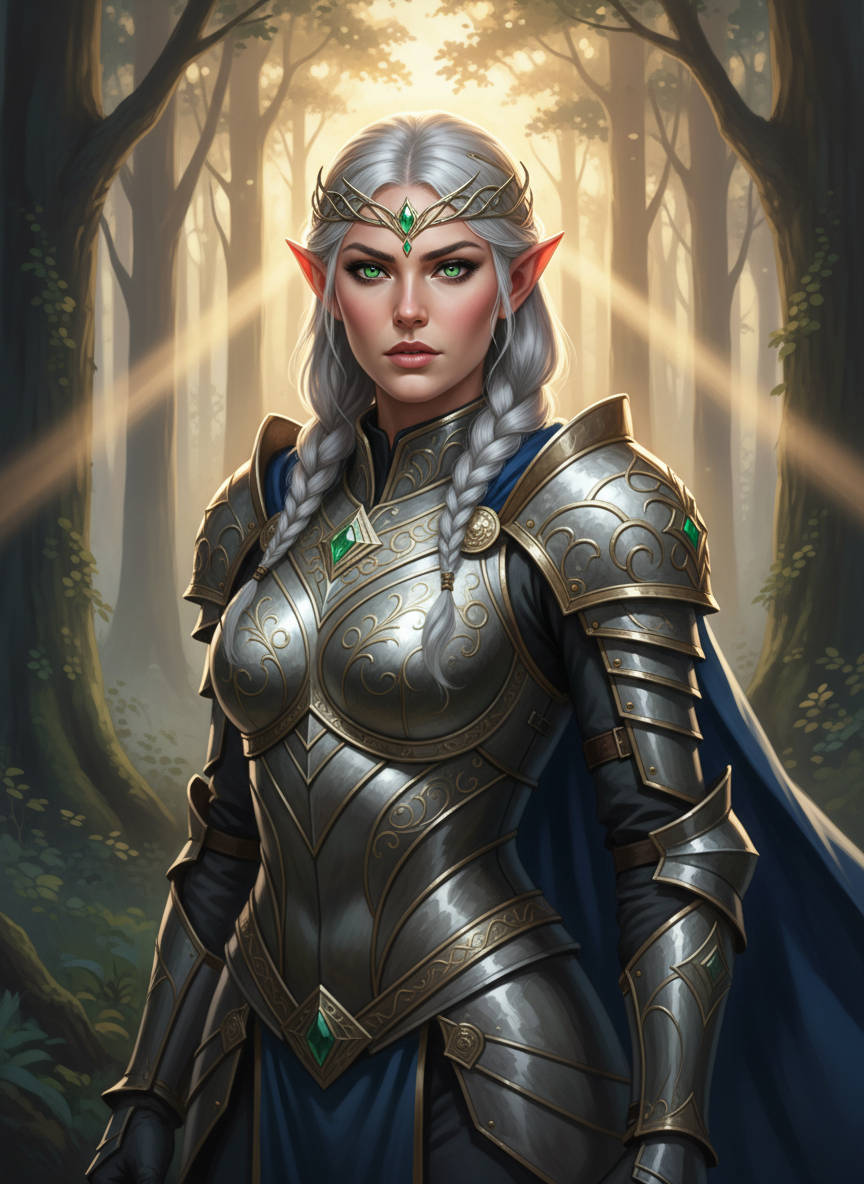
評価:
| 意図した要素 | 結果 |
|---|---|
| 銀色の編み込み髪 | ○ |
| 尖った耳 | ○ |
| エメラルドグリーンの目 | ○ |
| 銀の鎧(金の装飾) | ○ |
| 深い青のマント | ○ |
| 宝石のサークレット | ○ |
| 霧の森、光線 | ○ |
ファンタジーキャラクターでも、7つの要素を詳細に指定することで意図通りの画像が生成されました。
チェックポイント
- 7つの必須要素を理解した
- テンプレートを使って画像を生成した
セクション5: セマンティック負のプロンプト
5-1. 避けるべきパターン
Nanobananaは従来の「Negative Prompt」(--no blur等)を効果的に処理しません。
悪い例:
no cars, --no blur, no people
5-2. セマンティック負のプロンプト
代わりに、欲しい状態を積極的に記述します。
| 避けたいもの | 悪い書き方 | 良い書き方 |
|---|---|---|
| 車 | no cars | an empty, deserted street with no signs of traffic |
| 人 | no people | a completely empty room, uninhabited space |
| ぼやけ | --no blur | crystal clear, sharp focus throughout |
| テキスト | no text | clean image without any visible text or signage |
| 余分な物 | nothing else | minimalist composition, only [subject] visible |
5-3. 実践:背景をクリーンに保つ
意図:シンプルなプロダクト写真風のりんご
| 要素 | 意図 |
|---|---|
| 被写体 | 赤いりんご1つだけ |
| 背景 | 完全に白く、何もない |
| 照明 | 均一なスタジオライト、影なし |
| フォーカス | 全体にシャープ |
この同じ意図を、2つの方法で書いてみます。
悪い例(効果が薄い)
従来の「Negative Prompt」スタイルで書いた場合:
A red apple on a table, no background objects, no other fruits,
--no blur, no shadows
クリックしてPythonコマンドを生成
生成例:
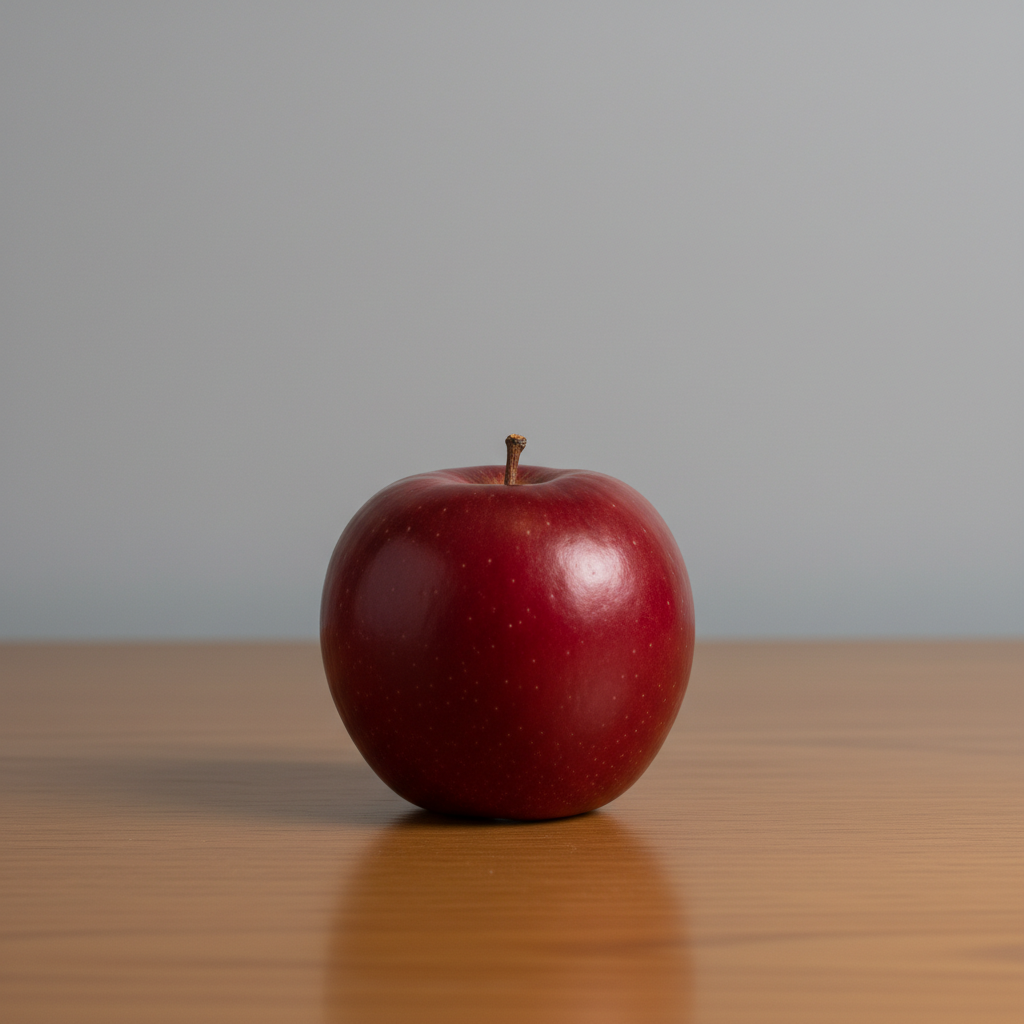
評価:
| 意図した要素 | 結果 | 備考 |
|---|---|---|
| 赤いりんご1つだけ | ○ | |
| 完全に白い背景 | × | 灰色の背景、木のテーブルが見える |
| 影なし | × | テーブルに影がある |
| 全体にシャープ | ○ |
「no background objects」「no shadows」と書いても、背景やテーブル、影が残ってしまいました。
良い例(積極的に記述)
「欲しい状態」を積極的に記述した場合:
A single red apple centered on a pristine white marble surface.
The background is pure white, completely empty and seamless.
Sharp focus throughout with even studio lighting,
no shadows, creating a clean product photography aesthetic.
クリックしてPythonコマンドを生成
生成例:
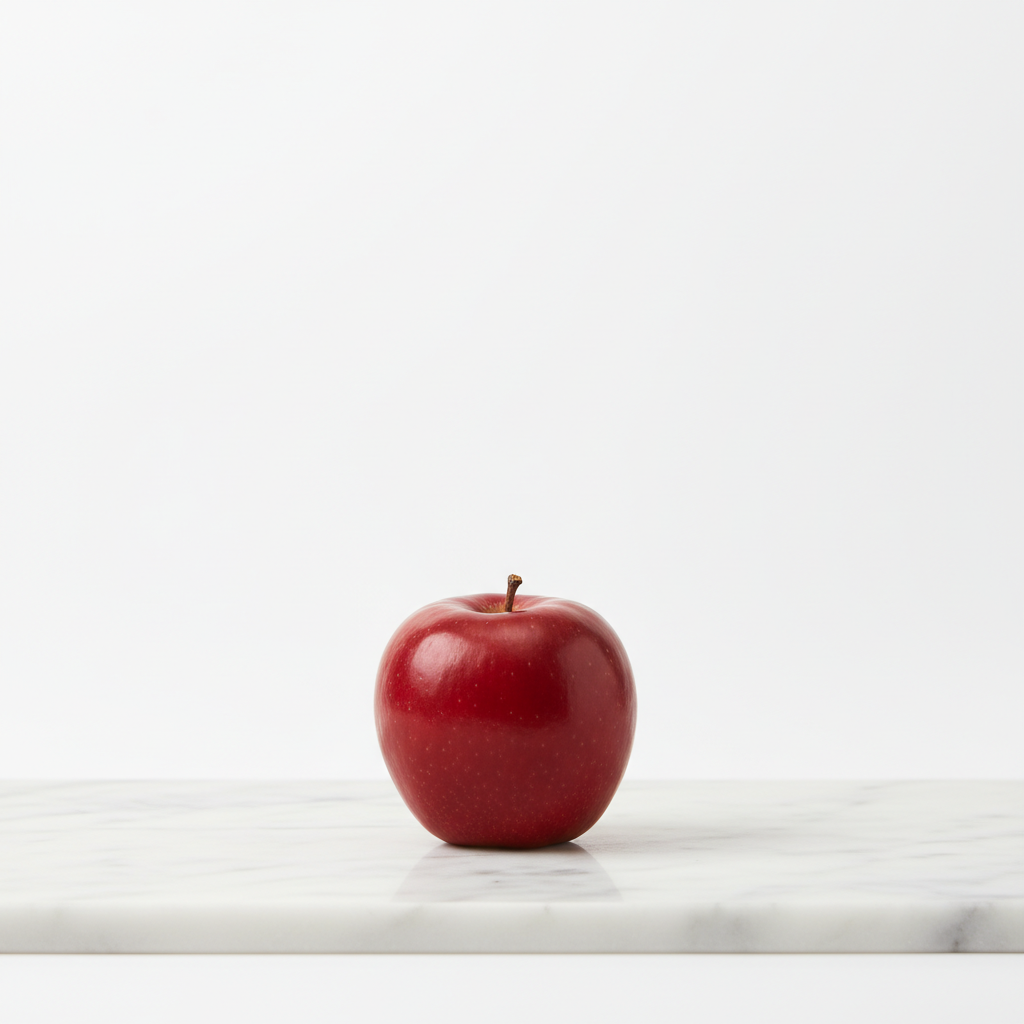
評価:
| 意図した要素 | 結果 |
|---|---|
| 赤いりんご1つだけ | ○ |
| 白い大理石の表面 | ○ |
| 完全に白い背景 | ○ |
| 影なし | ○ |
| 全体にシャープ | ○ |
「欲しい状態」を積極的に記述することで、意図通りのクリーンな商品写真が生成されました。
チェックポイント
- 従来の負のプロンプトが効かない理由を理解した
- セマンティック負のプロンプトの書き方を理解した
セクション6: 段階的な改善
6-1. 基本原則
完璧な画像を1回で生成することを期待せず、段階的に改善します。
Google公式推奨: 一度に複数の変更をせず、stepwise editsで段階的に改善
6-2. 段階的な改善のワークフロー
ステップ1: 基本構図を生成
           ↓
ステップ2: 単一変数を調整(例:照明のみ変更)
           ↓
ステップ3: 別の変数を調整(例:表情のみ変更)
           ↓
ステップ4: 最終調整
6-3. 実践:段階的改善
同じテーマを段階的に改善していく例です。各ステップで何を追加し、結果がどう変わったかを確認してください。
最終的な意図:パリ風カフェで窓の外を眺める女性
| 要素 | 最終的に目指す画像 |
|---|---|
| 被写体 | 茶色い肩までの髪の若い女性 |
| 場所 | パリ風カフェの木製テーブル |
| 行動 | 陶器のコーヒーカップを持ち、雨の窓を物思いにふけりながら眺める |
| 照明 | 午後の日差し+カフェの環境光、親密で内省的な雰囲気 |
| 背景 | ぼかした本棚とヴィンテージ装飾 |
| 技術 | 85mmレンズ、f/2.0、浅い被写界深度、フィルム風の暖かいトーン |
この最終イメージに向けて、段階的に改善していきます。
ステップ1: 基本構図
まずは最小限の情報で生成します。
このステップで指定する要素:
- 若い女性
- カフェのテーブル
- コーヒーカップ
A young woman sitting at a cafe table with a cup of coffee.
クリックしてPythonコマンドを生成
生成例:
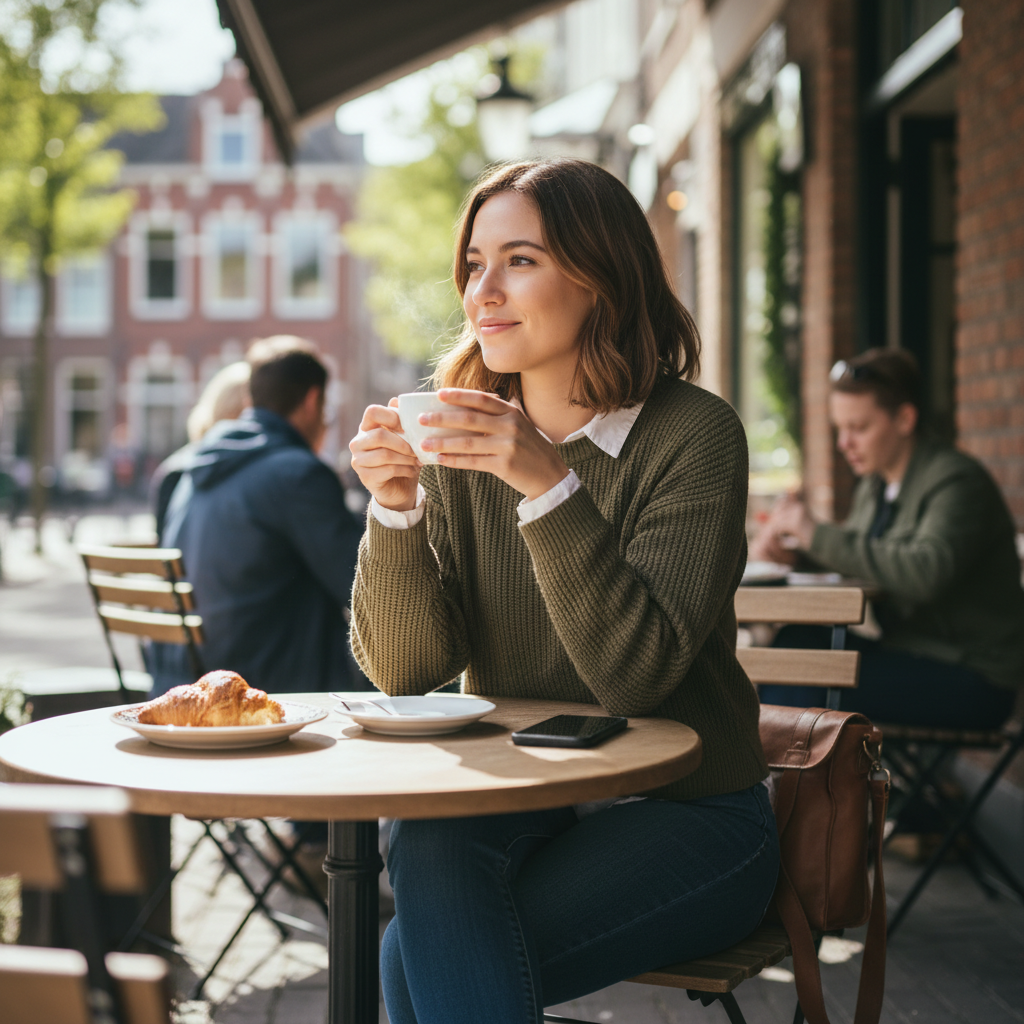
評価:
| 最終意図の要素 | 結果 | 備考 |
|---|---|---|
| 茶色い肩までの髪 | △ | 指定なし→AIが決定 |
| パリ風カフェ | × | 指定なし→屋外テラス |
| 陶器のカップを持つ | △ | 持っているが詳細なし |
| 雨の窓を眺める | × | 指定なし |
| 照明・雰囲気 | △ | AIが決定 |
| 本棚とヴィンテージ | × | 指定なし |
| カメラ設定 | × | 指定なし |
基本的な構図は生成されますが、詳細はAI任せになります。
ステップ2: 照明を追加
追加する要素:
- 午後の温かい日差し
- 窓から差し込む光
- 柔らかい影とcozyな雰囲気
A young woman sitting at a cafe table with a cup of coffee.
Warm afternoon sunlight streaming through the window,
creating soft shadows and a cozy atmosphere.
クリックしてPythonコマンドを生成
生成例:
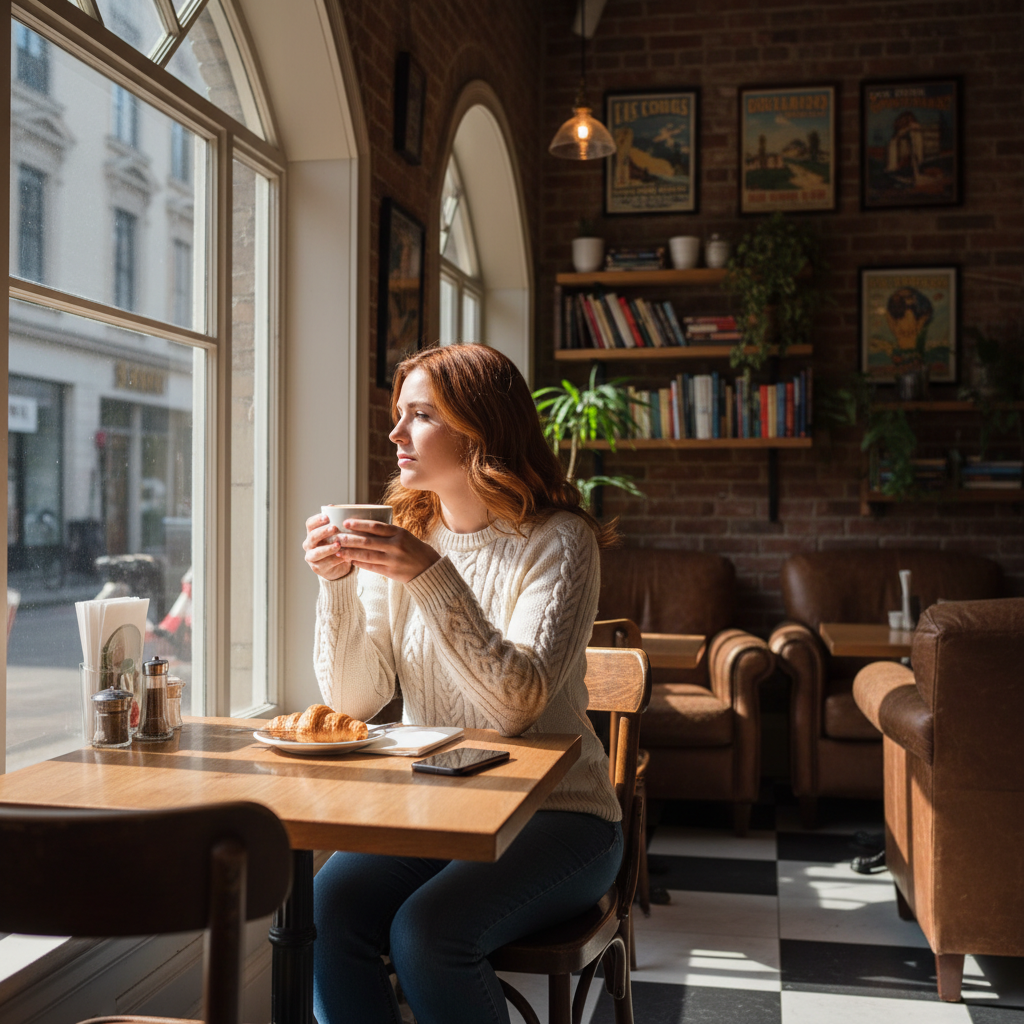
評価:
| 最終意図の要素 | 結果 | 備考 |
|---|---|---|
| 茶色い肩までの髪 | △ | まだ指定なし |
| パリ風カフェ | △ | 室内カフェになった |
| 陶器のカップを持つ | △ | 持っているが詳細なし |
| 雨の窓を眺める | × | まだ指定なし |
| 照明・雰囲気 | ○ | 改善:温かい雰囲気 |
| 本棚とヴィンテージ | △ | 一部見える |
| カメラ設定 | × | まだ指定なし |
照明を追加したことで、雰囲気が改善されました。
ステップ3: 被写体の詳細を追加
追加する要素:
- 茶色い肩までの髪
- 素朴な木製テーブル
- 陶器のカップを持つ
- 窓の外を物思いにふける
- 85mmレンズ、浅い被写界深度
A young woman with shoulder-length brown hair sitting at a
rustic wooden cafe table. She holds a ceramic cup of steaming
coffee, looking thoughtfully out the window.
Warm afternoon sunlight streaming through the window,
creating soft shadows and a cozy atmosphere.
Shot with an 85mm lens, shallow depth of field.
クリックしてPythonコマンドを生成
生成例:
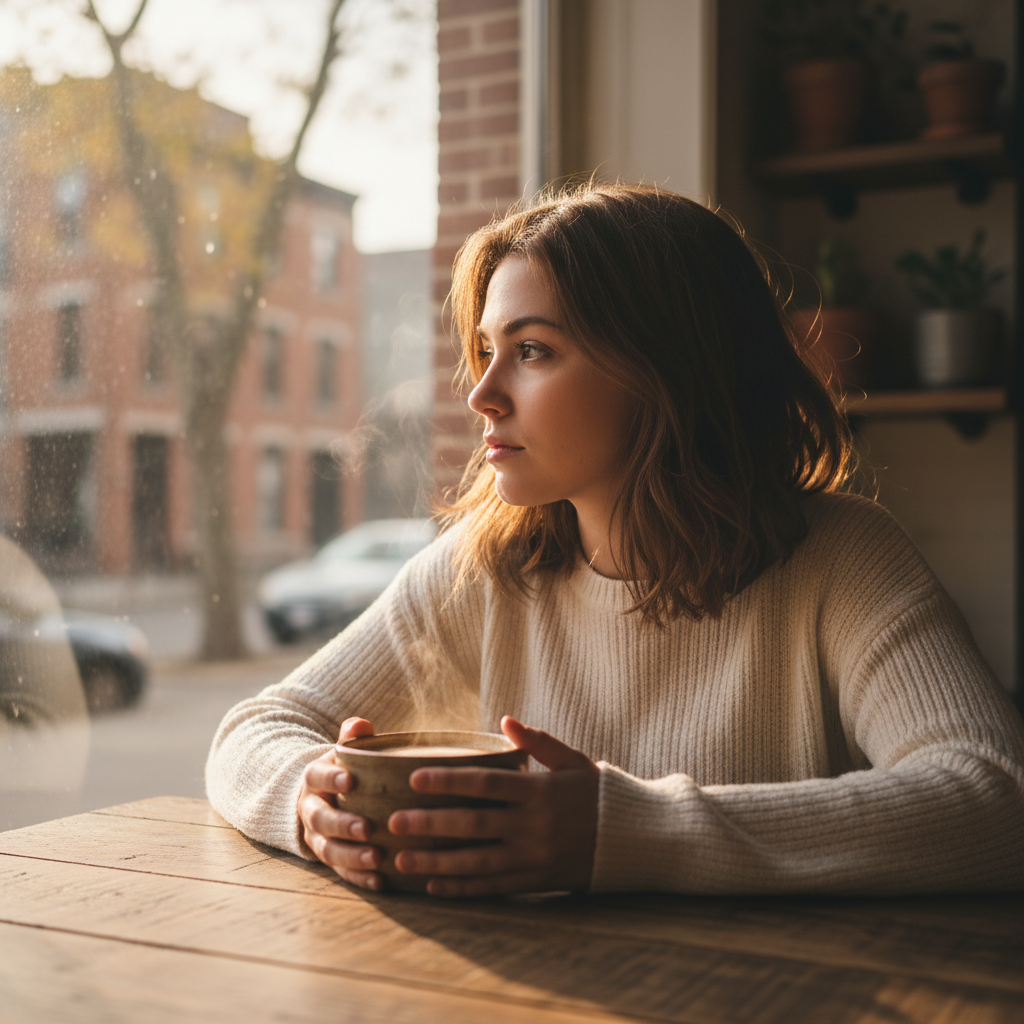
評価:
| 最終意図の要素 | 結果 | 備考 |
|---|---|---|
| 茶色い肩までの髪 | ○ | 改善 |
| パリ風カフェ | △ | まだ指定なし |
| 陶器のカップを持つ | ○ | 改善 |
| 雨の窓を眺める | △ | 窓を眺めている(雨はまだ) |
| 照明・雰囲気 | ○ | 維持 |
| 本棚とヴィンテージ | × | まだ指定なし |
| カメラ設定 | ○ | 改善:ボケ効果 |
被写体の詳細とカメラ設定を追加。より意図に近づきました。
ステップ4: 背景とムードを最終調整
追加する要素:
- パリ風カフェ
- 雨で濡れた窓
- 優しい微笑み
- カフェの環境光を追加
- 本棚とヴィンテージ装飾
- f/2.0、フィルム風の暖かいトーン
A young woman with shoulder-length brown hair sitting at a
rustic wooden cafe table in a cozy Parisian-style coffee shop.
She holds a ceramic cup of steaming coffee, looking thoughtfully
out the rain-streaked window with a gentle smile.
Warm afternoon sunlight mixed with soft ambient cafe lighting,
creating an intimate, contemplative atmosphere.
Background shows blurred bookshelves and vintage decor.
Shot with an 85mm lens, f/2.0, shallow depth of field,
film-like color grading with warm tones.
クリックしてPythonコマンドを生成
生成例:
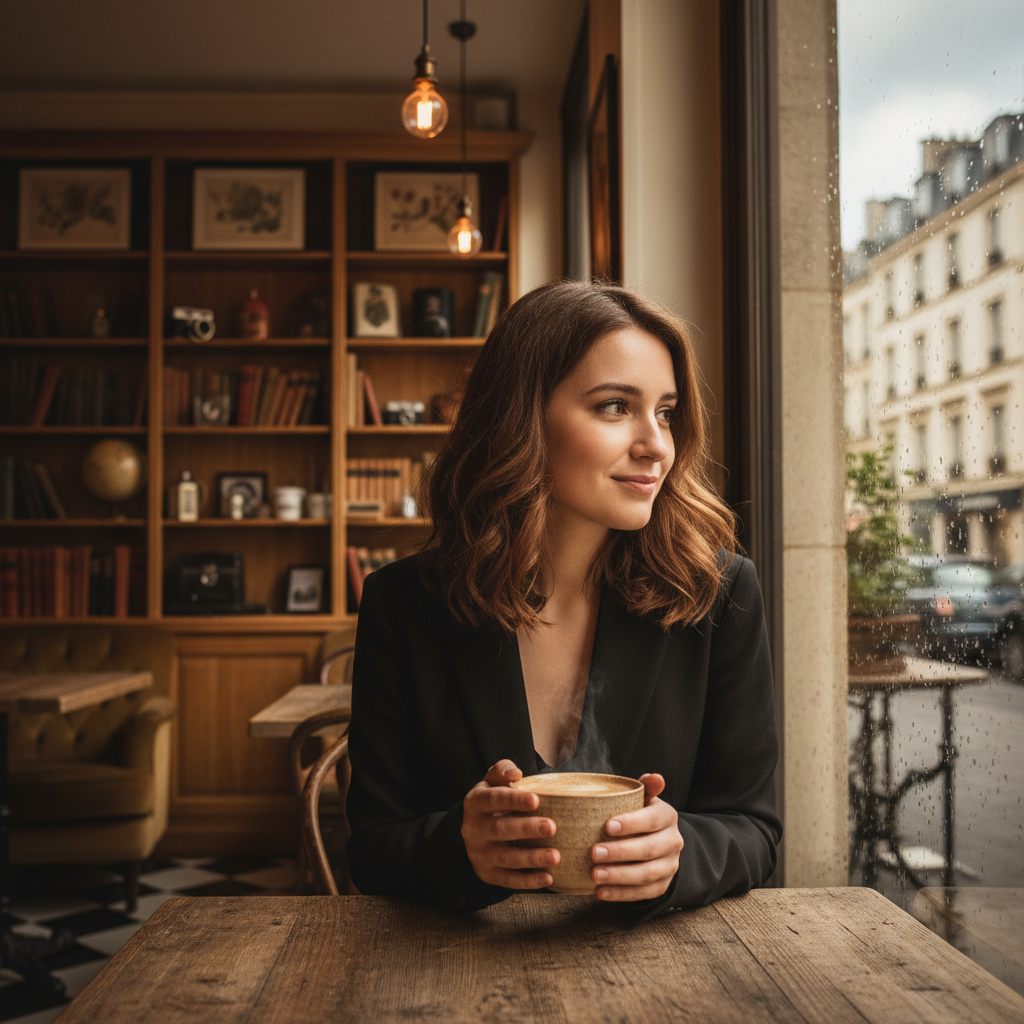
最終評価:
| 最終意図の要素 | 結果 | 備考 |
|---|---|---|
| 茶色い肩までの髪 | ○ | |
| パリ風カフェ | ○ | 改善:パリの建物が見える |
| 陶器のカップを持つ | ○ | |
| 雨の窓を眺める | ○ | 改善:雨粒が窓に |
| 照明・雰囲気 | ○ | 改善:より親密な雰囲気 |
| 本棚とヴィンテージ | ○ | 改善 |
| カメラ設定 | ○ | 改善:フィルム風トーン |
段階的に改善することで、全ての意図した要素が反映された画像になりました。
チェックポイント
- 段階的な改善の原則を理解した
- 段階的に改善するワークフローを実践した
セクション7: 実践演習
演習1: ナラティブ記述への変換
以下のキーワード列挙をナラティブ記述に変換してください。
キーワード: dragon, mountain, sunset, flying, epic
ヒント: 空間関係、照明、動きを含める
→ 正解例を見る
演習2: 7要素テンプレートで生成
以下のテーマで7つの必須要素を含むプロンプトを作成してください。
テーマ: 「和食レストランのプロモーション写真」
→ 正解例を見る
演習3: 段階的な改善
以下の基本プロンプトを3段階で改善してください。
基本: A cat sleeping on a sofa
→ 正解例を見る
トラブルシューティング
意図した構図にならない
原因: 空間関係の記述が曖昧
解決策:
in the foreground,in the backgroundを明示to the left of,besideで位置を具体的に指定- グリッド指定も有効:
The subject is in the center-bottom of the frame
照明が思い通りにならない
原因: 照明の方向や質が不明確
解決策:
- 光源の方向を明示:
from the left side,from above - 光の質を記述:
soft diffused,harsh direct - 複数の光源を記述:
key light from left, fill light from right
キーワードが無視される
原因: キーワードの羅列で優先度が不明
解決策:
- ナラティブ形式で書き直す
- 最重要要素を文頭に配置
- 関係性を明確に記述
余計なオブジェクトが追加される
原因: 背景の記述が不十分
解決策:
- 背景を積極的に記述:
The background is a solid seamless white wall - 空白の意図を明示:
empty negative space intended for text overlay
まとめ
このモジュールで学んだこと
- ナラティブ記述: キーワード列挙ではなく、シーンを物語として描写
- 写真・映画用語: カメラアングル、レンズ、被写界深度の制御
- 3つの必須要素: 空間関係、照明、動き
- 7つの必須要素: プロフェッショナルな画像に必要な要素
- セマンティック負のプロンプト: 欲しくないものではなく、欲しい状態を記述
- 段階的な改善: 段階的に改善するワークフロー
プロンプト作成チェックリスト
- ナラティブ形式で記述している
- 空間関係を明示している
- 照明を詳細に指定している
- 必要に応じてカメラ用語を使用している
- 避けたいものは「欲しい状態」として記述している
次のステップ
Module 05では、キャラクター一貫性について学びます。同じキャラクターを複数の画像で維持する技術を習得します。
演習の正解例
演習1の正解例
キーワード: dragon, mountain, sunset, flying, epic
正解例:
A majestic dragon with shimmering crimson scales soars through
the sky above jagged mountain peaks. Its powerful wings are
spread wide, catching the warm golden light of the setting sun.
The dragon is silhouetted against a dramatic orange and purple
sunset sky, with wisps of clouds swirling around its body as it
glides majestically over the misty valleys below.
生成例:
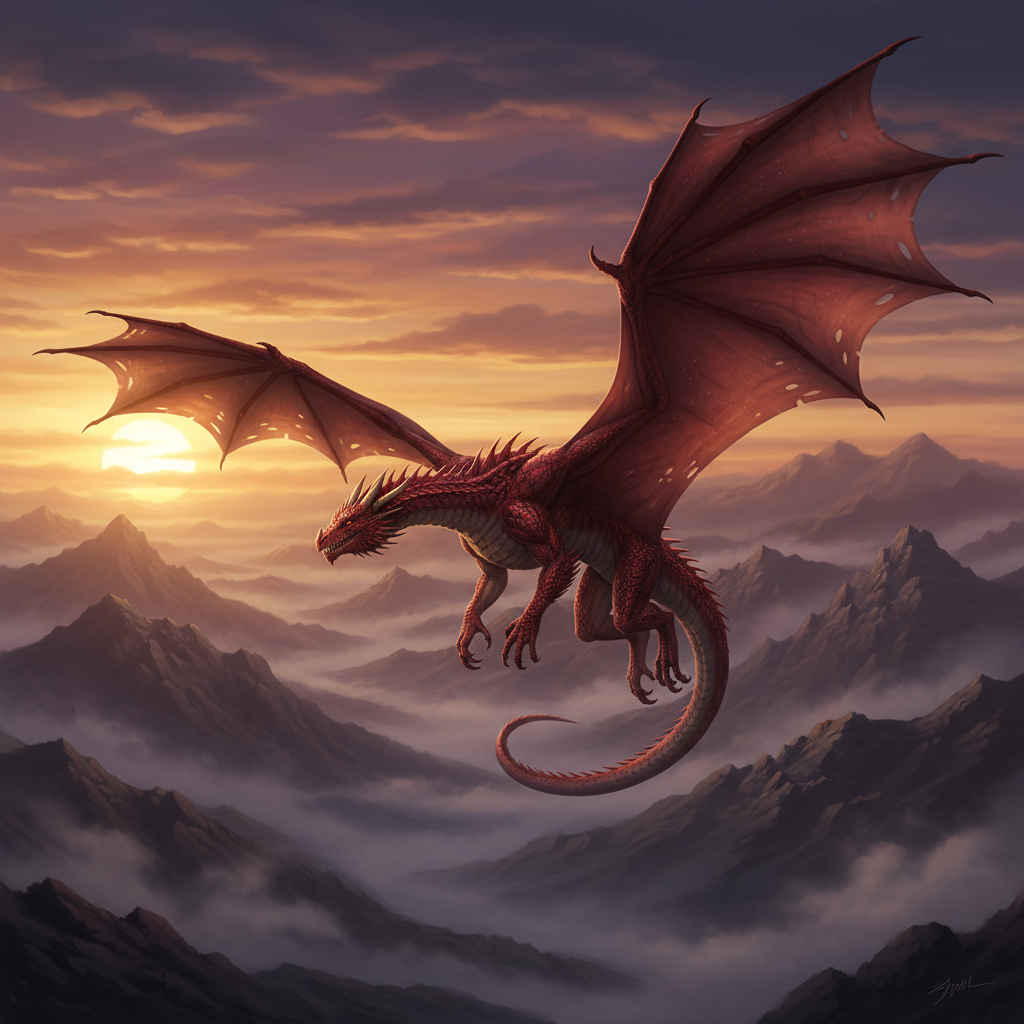
ポイント:
- 空間関係: above mountain peaks、over the misty valleys below
- 照明: golden light of the setting sun、silhouetted against sunset
- 動き: soars、spread wide、catching、glides、swirling
演習2の正解例
テーマ: 「和食レストランのプロモーション写真」
正解例:
[Subject Identity]: A beautifully arranged kaiseki course featuring
seasonal sashimi, grilled fish, and colorful vegetable dishes.
[Professional Context]: High-end Japanese restaurant promotional
photography for magazine advertisement.
[Styling]: Traditional ceramic plates and lacquerware arranged on
a dark wooden counter, garnished with shiso leaves and edible flowers.
[Composition]: Overhead shot with slight angle, showcasing the
artful arrangement of multiple dishes.
[Lighting Setup]: Soft natural window light from the left, with
subtle warm accent lighting highlighting the food's freshness.
[Background]: Blurred traditional Japanese interior with
paper screens and bamboo elements.
[Technical Specs]: 50mm macro lens, f/4, sharp focus on center dish
with gentle depth falloff on surrounding plates.
生成例:
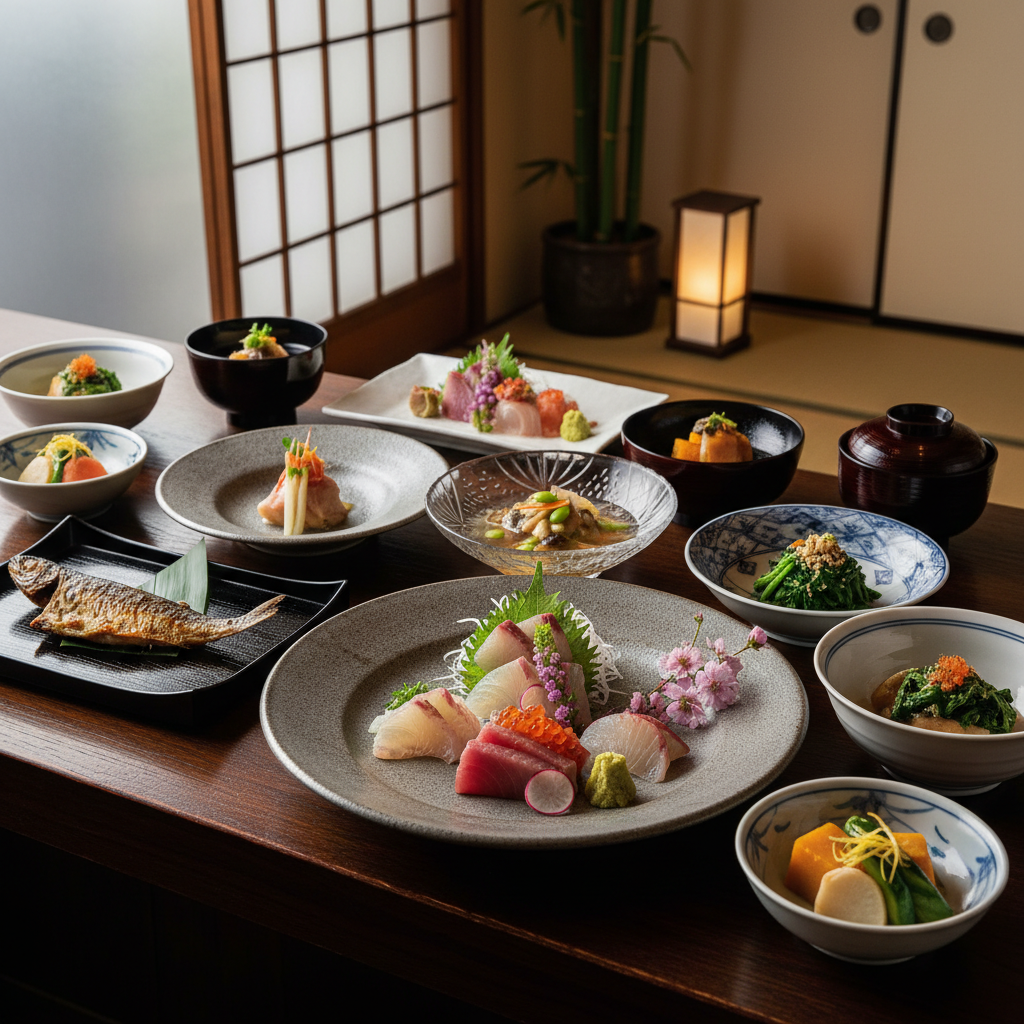
ポイント:
- 7つの要素を全てカバー
- 和食の専門用語(kaiseki、sashimi等)を使用
- 料理写真に適した照明とカメラ設定
演習3の正解例
基本: A cat sleeping on a sofa
ステップ1: 照明を追加
A cat sleeping on a sofa. Warm afternoon sunlight streaming
through nearby windows, casting soft golden highlights on
the cat's fur.
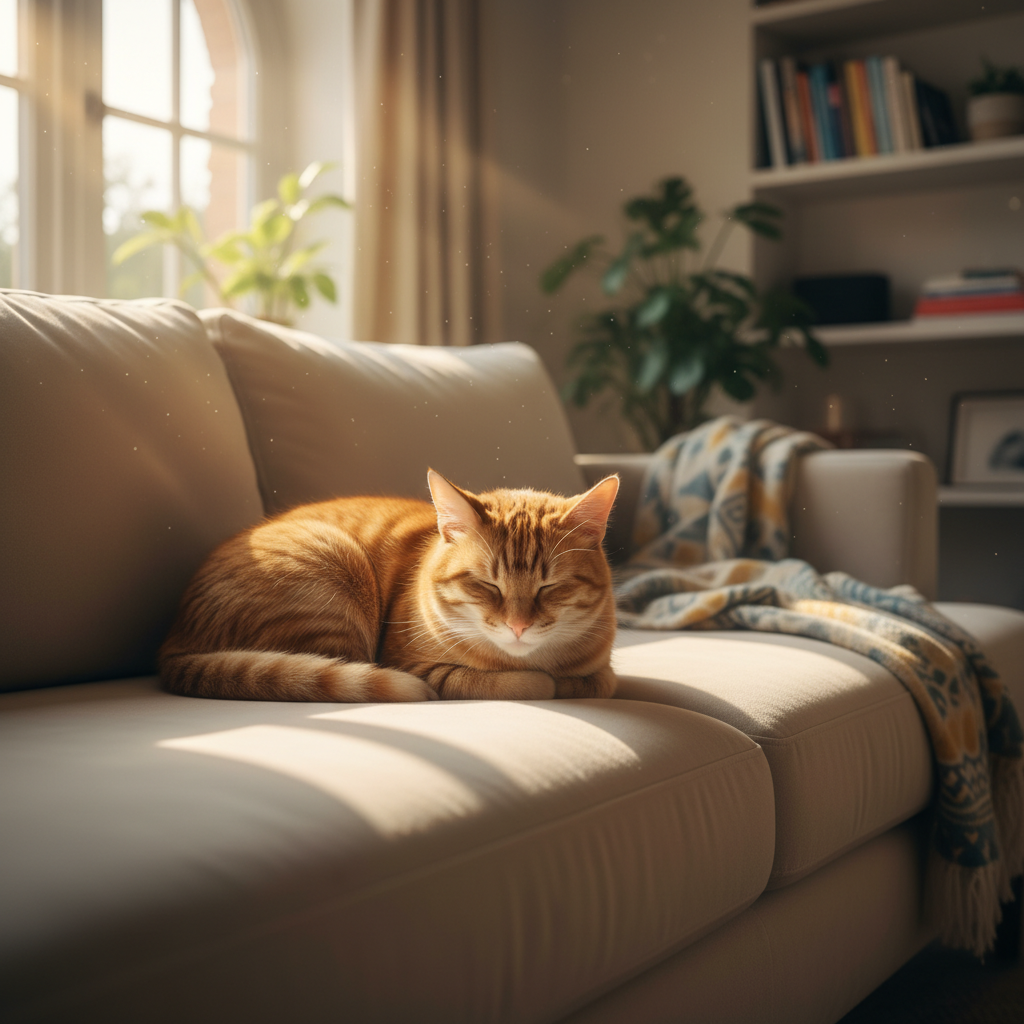
ステップ2: 被写体の詳細を追加
A fluffy orange tabby cat curled up peacefully on a plush
velvet sofa. Warm afternoon sunlight streaming through nearby
windows, casting soft golden highlights on the cat's fur.
Its eyes are gently closed, one paw tucked under its chin.
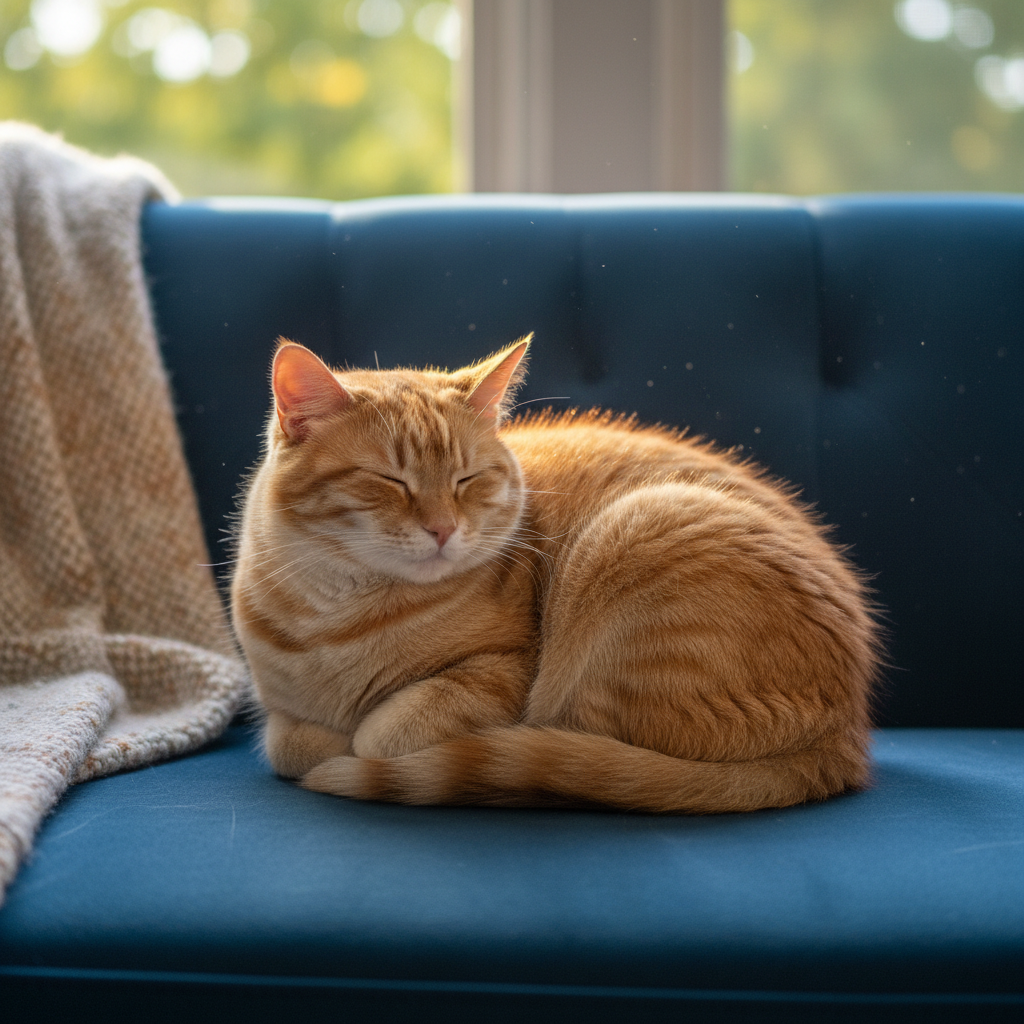
ステップ3: 背景とカメラ設定を追加
A fluffy orange tabby cat curled up peacefully on a plush
emerald green velvet sofa in a cozy living room. Warm afternoon
sunlight streaming through sheer curtains, casting soft golden
highlights on the cat's fur. Its eyes are gently closed, one paw
tucked under its chin. Background shows blurred bookshelves and
houseplants. Shot with an 85mm lens, f/2.0, shallow depth of field,
creating a dreamy, intimate atmosphere.
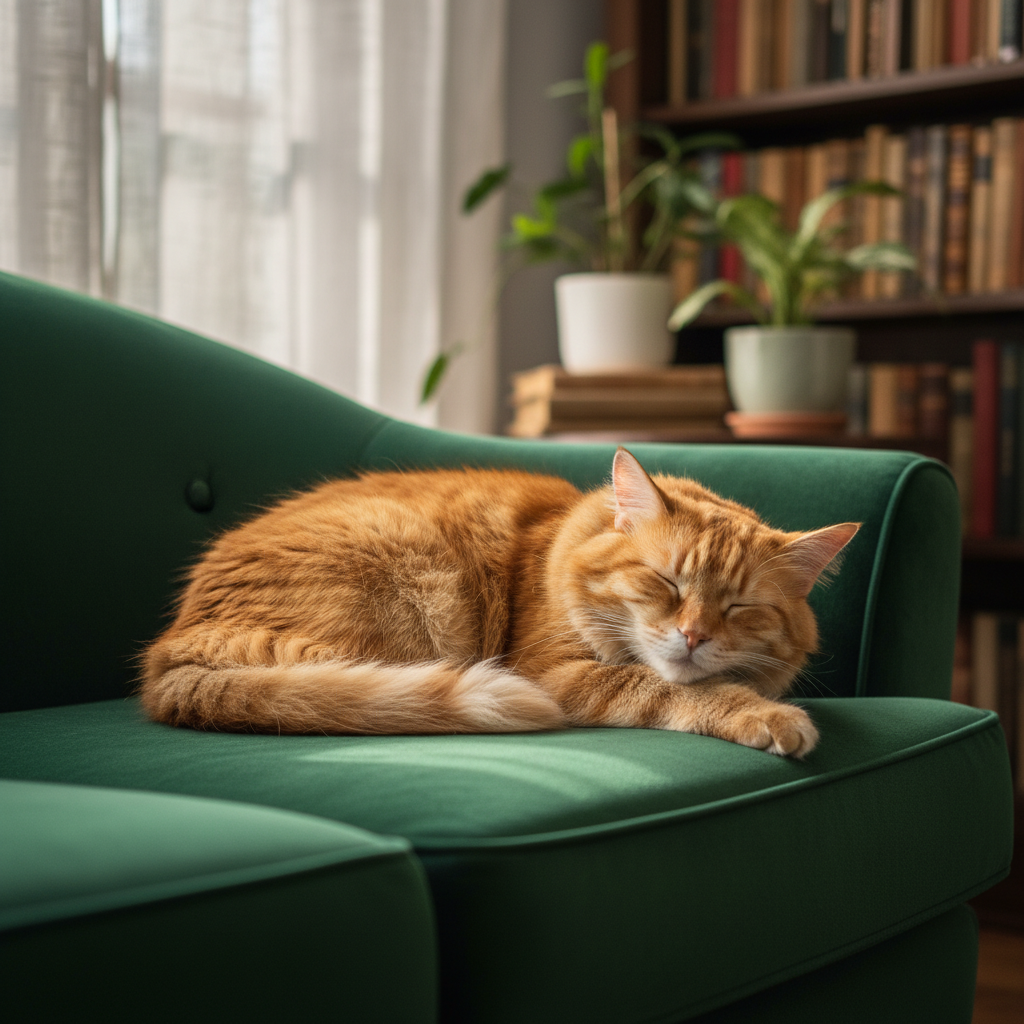
ポイント:
- 各ステップで1〜2の要素のみ追加
- 前のステップの内容を維持しながら改善
- 最終的に空間関係、照明、詳細、カメラ設定を網羅
よくある質問
Q: 英語で書くべきですか?日本語でも大丈夫ですか? A: 英語の方が精度が高いですが、日本語でも動作します。重要なキーワード(カメラ用語等)は英語を推奨します。
Q: プロンプトはどのくらいの長さが適切ですか? A: 明確さが重要です。短すぎると曖昧になり、長すぎると矛盾が生じやすくなります。7つの必須要素をカバーする程度(3-5文)が目安です。
Q: アスペクト比はプロンプトで指定できますか?
A: プロンプトに書いても無視されます。image_config=types.ImageConfig(aspect_ratio="16:9") でAPIパラメータとして指定してください。
Q: 同じプロンプトで毎回違う結果になるのは正常ですか? A: はい、正常です。Nanobananaにはseed制御がないため、毎回異なる結果になります。気に入った結果は必ず保存してください。
Q: 「4k, trending on artstation, masterpiece」は効果がありますか? A: Google公式によると、このようなスパムキーワードは不要です。代わりに、具体的な技術仕様(レンズ、照明)を記述してください。