ビジネスコンテンツ
このモジュールで学ぶこと
- ウェブバナー・広告バナーの生成
- YouTubeサムネイルの作成
- ロゴデザインの生成
- 商品画像・SNS投稿画像の作成
学習目標
このモジュールを終えると、以下のことができるようになります:
- 様々なサイズのウェブバナーを生成できる
- クリック率を高めるYouTubeサムネイルを作成できる
- 日本語を含むロゴデザインを生成できる
- ECサイト向けの商品画像を作成できる
目次
- 事前準備
- セクション1: ウェブバナー
- セクション2: YouTubeサムネイル
- セクション3: ロゴデザイン
- セクション4: 広告クリエイティブ
- セクション5: 商品画像
- セクション6: SNS投稿画像
- トラブルシューティング
- まとめ
- よくある質問
事前準備
必要なもの
- 環境構築で構築した環境
- 実写・テキスト・編集で学んだテキスト制御技術
ビジネス用途別アスペクト比
| 用途 | アスペクト比 |
|---|---|
| YouTubeサムネイル | 16:9 |
| Instagram投稿 | 1:1 |
| Instagramストーリーズ | 9:16 |
| Twitterヘッダー | 3:1 |
| Facebookカバー | 16:9 |
| ウェブバナー(ワイド) | 21:9 |
| ウェブバナー(標準) | 16:9 |
| 2:3 |
セクション1: ウェブバナー
1-1. セールスバナー
ウェブサイトのヒーローセクション用セールバナーを生成します。
プロンプトの意図:
| 要素 | 記述 | 意図 |
|---|---|---|
| サイズ | 16:9 wide format for website homepage | ウェブサイトヒーロー用のワイドフォーマット |
| ヘッドライン | "SUMMER SALE" bold, white, sans-serif | 目立つ白文字のメインテキスト |
| サブテキスト | "Up to 50% Off" | 控えめな補足情報 |
| CTA | "Shop Now" on orange rectangle | オレンジボタンのアクション促進 |
| 背景 | Gradient from coral pink to warm orange | コーラルピンクからオレンジのグラデーション |
| 装飾 | Subtle tropical leaf silhouettes | 控えめな熱帯葉のシルエット |
Generate a promotional web banner for an online summer sale.

Dimensions: 16:9 wide format for website homepage hero section.

Text Specifications:
- Main headline: "SUMMER SALE" in bold, white, sans-serif font
  Position: Centered in the upper third, largest element
  Style: Clean, modern, with slight outer glow for visibility

- Subtext: "Up to 50% Off" in lighter weight font
  Position: Directly below headline
  Size: 50% of headline size

- CTA button: "Shop Now" text on orange rectangle
  Position: Bottom right corner
  Colors: White text on coral orange (#FF6B35) background

Visual Elements:
- Background: Smooth gradient from coral pink to warm orange
- Subtle tropical leaf silhouettes on left and right edges
- Clean, modern aesthetic with ample white space
- No clutter, focus on readability

Priority: Text clarity and professional appearance.
クリックしてPythonコマンドを生成
生成例:
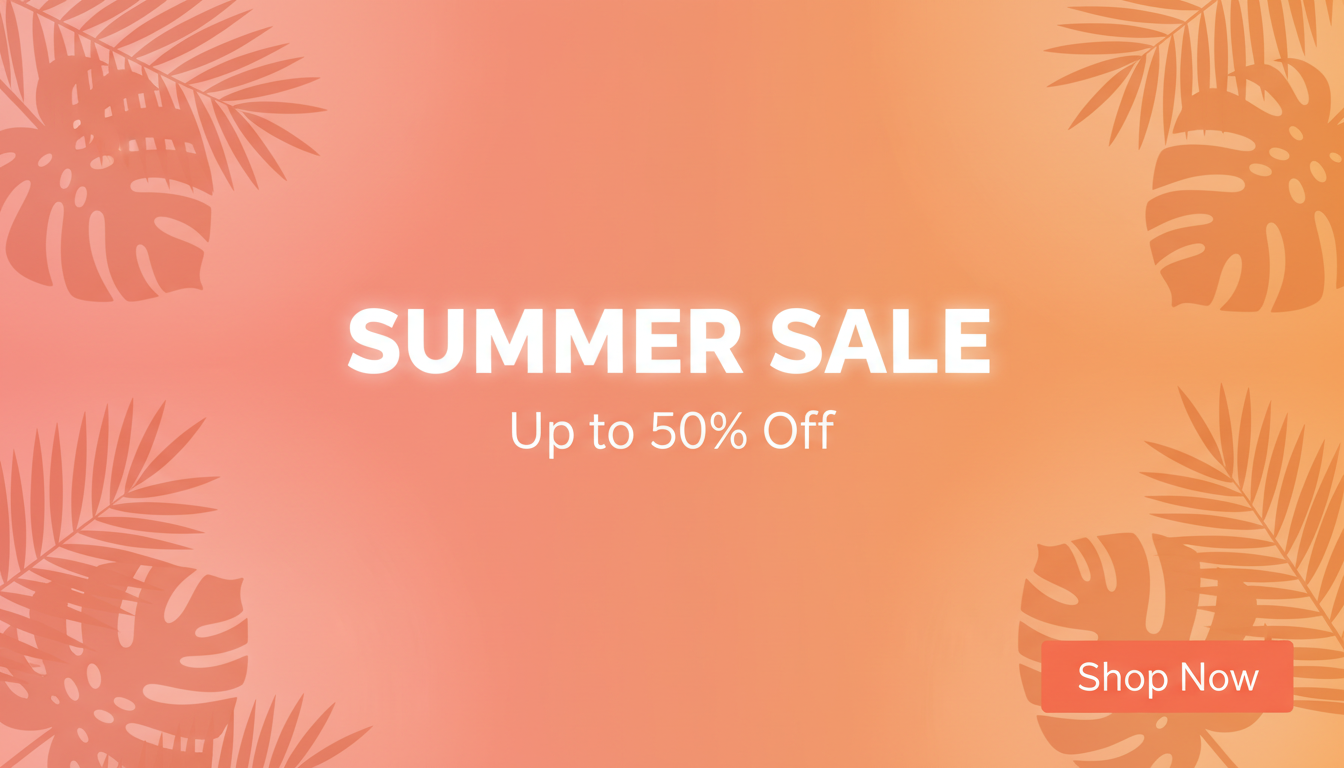
確認ポイント:
- 「SUMMER SALE」が上部1/3中央に大きく表示されているか
- 「Up to 50% Off」がヘッドラインの下に控えめに配置されているか
- 「Shop Now」ボタンが右下にオレンジ背景で表示されているか
- コーラルピンクからオレンジのスムーズなグラデーション背景になっているか
- 左右に控えめな熱帯葉のシルエットがあるか
- 全体的にクリーンで読みやすいか
1-2. サービス紹介バナー
クラウドサービス紹介用のテックバナーを生成します。
プロンプトの意図:
| 要素 | 記述 | 意図 |
|---|---|---|
| ヘッドライン | "Scale Without Limits" | 拡張性を訴求するコピー |
| サブテキスト | "Enterprise cloud solutions" | ターゲット層を明示 |
| CTA | "Start Free Trial" gradient button | 行動喚起ボタン |
| 背景 | Dark navy blue to deep purple gradient | テック感のあるダークグラデーション |
| 3D要素 | Abstract 3D cloud/server shapes | クラウドを象徴する3D形状 |
| パターン | Subtle grid pattern | テクノロジーを示すグリッド |
Create a professional web banner for a cloud computing service.

Dimensions: 16:9 for website hero section.

Text Specifications:
- Headline: "Scale Without Limits" in bold sans-serif
  Color: White
  Position: Left side of banner

- Subtext: "Enterprise cloud solutions for growing businesses"
  Color: Light gray
  Position: Below headline

- CTA: "Start Free Trial" button
  Style: Rounded rectangle, gradient blue to purple

Visual Elements:
- Background: Dark navy blue (#0a192f) to deep purple gradient
- Abstract 3D cloud/server shapes floating on right side
- Subtle grid pattern suggesting technology
- Glowing connection lines between shapes
- Modern, tech-forward aesthetic

Style: Corporate tech, professional, trustworthy.
クリックしてPythonコマンドを生成
生成例:

確認ポイント:
- 「Scale Without Limits」が左側に白文字で表示されているか
- サブテキストがその下にライトグレーで配置されているか
- CTAボタンが青から紫のグラデーションになっているか
- 背景がダークネイビーからディープパープルのグラデーションになっているか
- 右側に抽象的な3Dクラウド/サーバー形状があるか
- テクノロジーを示すグリッドパターンと光る接続線があるか
1-3. イベントバナー
テックカンファレンス用のイベント告知バナーを生成します。
プロンプトの意図:
| 要素 | 記述 | 意図 |
|---|---|---|
| イベント名 | "TECH SUMMIT 2025" in bold geometric font | 幾何学的フォントで目立つタイトル |
| 色 | Electric blue (#00D4FF) | 電気ブルーでテック感 |
| 日時 | "March 15-17, 2025" | 日程を明確に |
| 場所 | "Tokyo International Forum" | 会場名 |
| タグライン | "Shape the Future" italicized | イタリック体でキャッチコピー |
| 背景 | Dark background with futuristic cityscape | 未来的な都市シルエット |
Design an event announcement banner for a tech conference.

Dimensions: 16:9 wide banner.

Text Content:
- Event Name: "TECH SUMMIT 2025" in bold geometric font
  Color: Electric blue (#00D4FF)
  Position: Center

- Date: "March 15-17, 2025" below event name
  Color: White
  Smaller size

- Location: "Tokyo International Forum"
  Color: Light gray

- Tagline: "Shape the Future"
  Italicized, positioned at bottom

Visual Elements:
- Dark background with futuristic cityscape silhouette
- Holographic/iridescent accent elements
- Abstract digital network patterns
- Lens flares and light effects
- Premium, innovative atmosphere

Style: Futuristic, premium tech event aesthetic.
クリックしてPythonコマンドを生成
生成例:
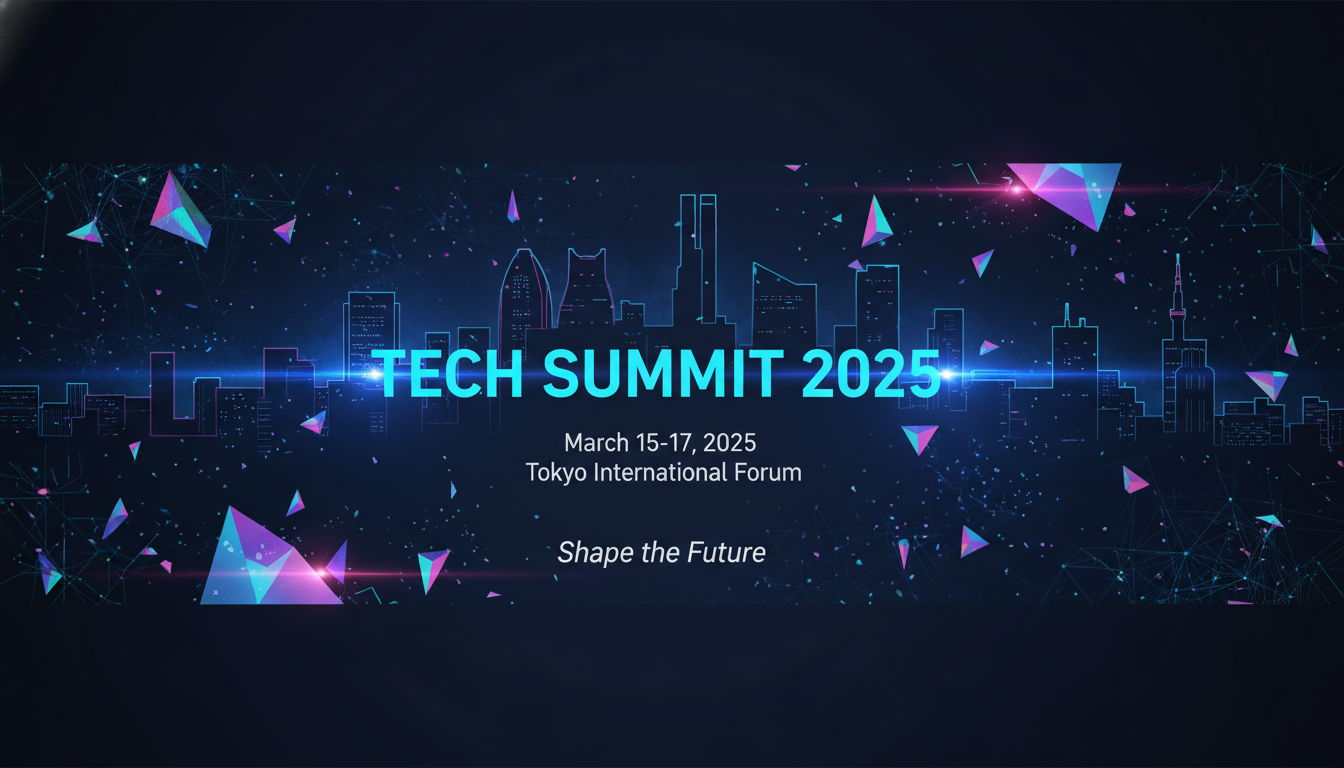
確認ポイント:
- 「TECH SUMMIT 2025」が中央に電気ブルーで表示されているか
- 日付と場所がその下に配置されているか
- 「Shape the Future」がイタリック体で下部に配置されているか
- 未来的な都市シルエットが背景にあるか
- ホログラフィック/虹色のアクセント要素があるか
- レンズフレアと光効果でプレミアム感があるか
チェックポイント
- セールスバナーを生成した
- サービス紹介バナーを生成した
セクション2: YouTubeサムネイル
2-1. ハウツー動画サムネイル
コーディングチュートリアル用のクリック率を高めるサムネイルを生成します。
プロンプトの意図:
| 要素 | 記述 | 意図 |
|---|---|---|
| メインテキスト | "3分で完成!" | 日本語で即効性を訴求 |
| フォント効果 | Bright yellow with thick white outline | 視認性の高い黄色に白縁取り |
| 構図 | Split composition: messy code on left, clean code on right | ビフォーアフターの対比 |
| 矢印 | Red arrow pointing from left to right | 変化を示す視覚的誘導 |
| 表情 | Surprised/excited person expression | 感情的なインパクト |
| 色彩 | Bright, saturated colors | YouTube向けの鮮やかな色 |
Create a YouTube thumbnail for a coding tutorial video.

Dimensions: 16:9 (standard YouTube thumbnail).

Text Overlay:
- Main text: "3分で完成!" in massive, pop-style Japanese font
  Color: Bright yellow with thick white outline and drop shadow
  Position: Center, slightly upper
  Style: Bold, attention-grabbing

Visual Elements:
- Split composition: messy code on left, clean code on right
- Red arrow pointing from left to right
- Surprised/excited person expression on the right side
- Bright, saturated colors for maximum visibility
- Slight blur/vignette on edges to focus attention

Background:
- Code editor interface visible
- Dramatic lighting with blue accent

Style: High energy, clickable, YouTube algorithm optimized.
クリックしてPythonコマンドを生成
生成例:
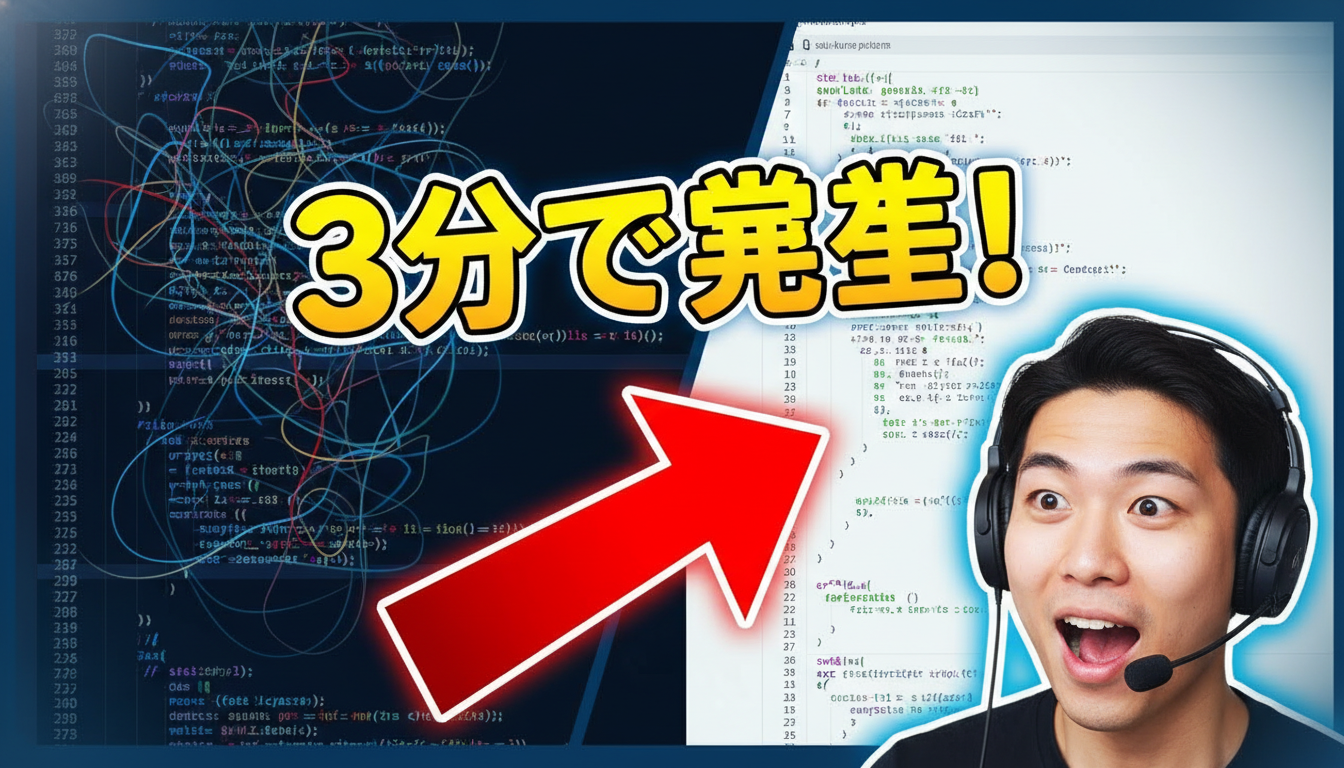
確認ポイント:
- 「3分で完成!」が大きく中央上部に表示されているか
- 黄色に白縁取りとドロップシャドウが適用されているか
- 左右に分割構図(乱雑なコード→整理されたコード)があるか
- 赤い矢印が左から右を指しているか
- 人物が驚き/興奮した表情をしているか
- 全体的に明るく彩度の高い色になっているか
2-2. レビュー動画サムネイル
製品レビュー用の信頼感のあるサムネイルを生成します。
プロンプトの意図:
| 要素 | 記述 | 意図 |
|---|---|---|
| メインテキスト | "正直レビュー" | 日本語で信頼感を訴求 |
| スタイル | Bold, slightly tilted | 傾けて動きを出す |
| 評価 | ★★★★☆ | 4つ星評価を視覚的に表示 |
| 構図 | Product on right, reviewer on left | 商品とレビュアーの対比 |
| 表情 | thoughtful/skeptical expression | 考え込む/懐疑的な表情 |
Create a YouTube thumbnail for a product review video.

Dimensions: 16:9.

Text Elements:
- Main text: "正直レビュー" (Honest Review)
  Style: Bold, slightly tilted for dynamic feel
  Color: Red with white outline

- Rating: "★★★★☆" stars
  Position: Bottom corner
  Gold/yellow color

Visual Composition:
- Product (smartphone) displayed prominently on right side
- Reviewer's face showing thoughtful/skeptical expression on left
- Dramatic lighting on the product
- Clean background with subtle gradient

Color Scheme:
- Dark background for contrast
- Accent lighting in blue and orange
- Product highlighted with rim lighting

Style: Honest, trustworthy, engaging.
クリックしてPythonコマンドを生成
生成例:
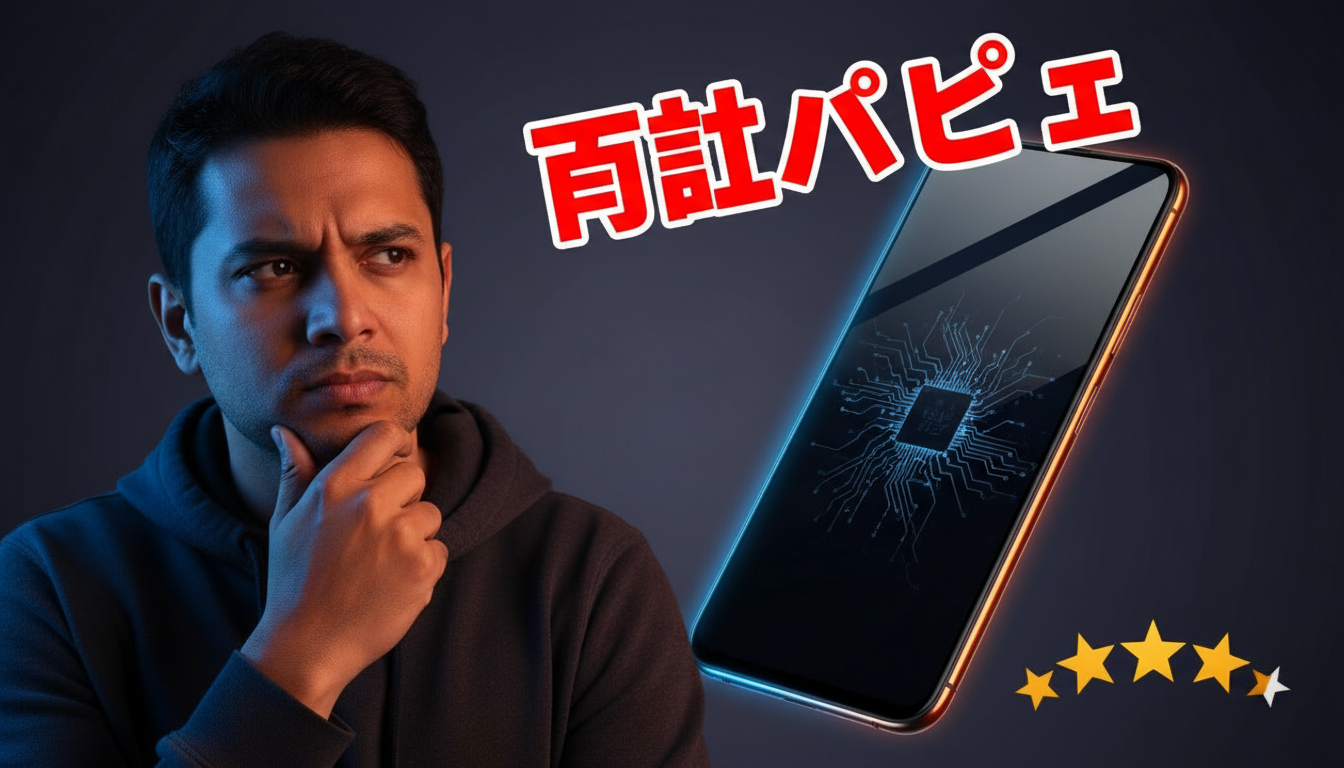
確認ポイント:
- 「正直レビュー」が赤字に白縁取りで表示されているか
- 4つ星評価が金/黄色で下部に配置されているか
- 右側にスマートフォンがドラマチックな照明で表示されているか
- 左側にレビュアーの考え込む/懐疑的な表情があるか
- 暗い背景に青とオレンジのアクセント照明があるか
2-3. エンタメ動画サムネイル
チャレンジ動画用のインパクトのあるサムネイルを生成します。
プロンプトの意図:
| 要素 | 記述 | 意図 |
|---|---|---|
| メインテキスト | "24時間チャレンジ" | 大きなコミック風フォント |
| カラー | Red and yellow gradient with black outline | 目立つグラデーション |
| サブテキスト | "やってみた結果..." | 続きが気になるフレーズ |
| 顔 | Extreme close-up, shock/exhaustion | 極端な表情でインパクト |
| 効果 | Dynamic action lines | 漫画的なアクション線 |
Create a YouTube thumbnail for a challenge video.

Dimensions: 16:9.

Text Elements:
- Main text: "24時間チャレンジ"
  Massive, comic-style font
  Red and yellow gradient with black outline
  Position: Top portion

- Subtext: "やってみた結果..."
  Smaller, below main text

Visual Elements:
- Extreme close-up of person's face showing shock/exhaustion
- Exaggerated facial expression (wide eyes, open mouth)
- Dynamic action lines radiating from center
- Timer graphic showing 24:00
- Dramatic shadows and highlights

Style:
- High contrast, oversaturated colors
- Comic/manga influence
- Maximum visual impact

Background: Blurred chaos suggesting the challenge environment.
クリックしてPythonコマンドを生成
生成例:
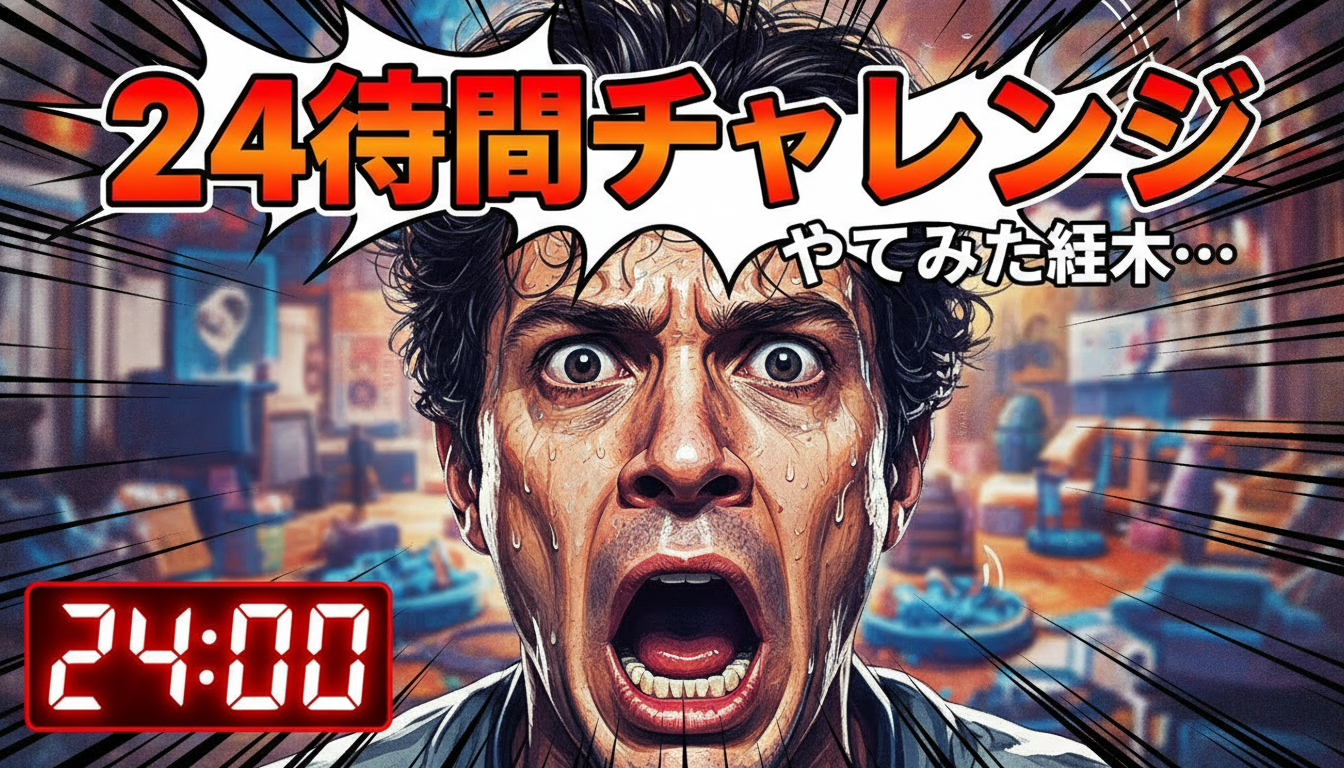
確認ポイント:
- 「24時間チャレンジ」が大きなコミック風フォントで上部に表示されているか
- 赤と黄色のグラデーションに黒縁取りになっているか
- 極端なクローズアップで驚き/疲労の表情があるか
- 中央から放射状にアクション線があるか
- 24:00を示すタイマーグラフィックがあるか
- 高コントラストで彩度の高い色になっているか
2-4. サムネイル作成のコツ
| 要素 | 推奨 | 避けるべき |
|---|---|---|
| テキスト | 大きく、3-5語以内 | 小さい文字、長文 |
| 顔 | 表情豊かなクローズアップ | 遠景、無表情 |
| 色 | 高コントラスト、彩度高め | 淡い色、モノトーン |
| 構図 | シンプル、焦点明確 | 雑然、要素過多 |
| 縁取り | テキストに白/黒縁取り | 縁取りなし(読みにくい) |
チェックポイント
- ハウツー系サムネイルを生成した
- エンタメ系サムネイルを生成した
セクション3: ロゴデザイン
3-1. 日本語ロゴ
ラーメン店用の日本語ロゴを生成します。
プロンプトの意図:
| 要素 | 記述 | 意図 |
|---|---|---|
| メインテキスト | "麺道場" in brush calligraphy | 書道風の漢字3文字 |
| フォントスタイル | Shodo, thick confident brush strokes | 力強い書道の筆遣い |
| サブテキスト | "MENDOJO" sans-serif | ローマ字での読み仮名 |
| デザイン形式 | Circular badge/stamp design (hanko) | 印鑑風の円形バッジ |
| モチーフ | Steam rising, noodle bowl silhouette | ラーメンを象徴する要素 |
| 色 | Deep red (#C41E3A), Black, Cream | 日本の伝統色 |
| スケーラビリティ | Works at any size (scalable design) | どのサイズでも使える |
Create a logo design for a Japanese ramen shop called "麺道場".

Text Requirements:
- Main text: "麺道場" in bold Japanese brush calligraphy style (Shodo)
  All three kanji must be accurately rendered
  Thick, confident brush strokes
  Black color

- Subtext: "MENDOJO" in small, clean sans-serif
  Position: Below the kanji
  Gray color

Design Elements:
- Circular badge/stamp design (hanko inspired)
- Red circular border/seal element
- Steam rising motif subtly incorporated
- Noodle bowl silhouette integrated if possible

Color Palette:
- Primary: Deep red (#C41E3A)
- Secondary: Black
- Accent: Cream/off-white

Style:
- Vintage Japanese aesthetic
- Modern clarity and simplicity
- Works at any size (scalable design)
- Clean enough for signage and menus

Background: White for visibility of design elements.
クリックしてPythonコマンドを生成
生成例:
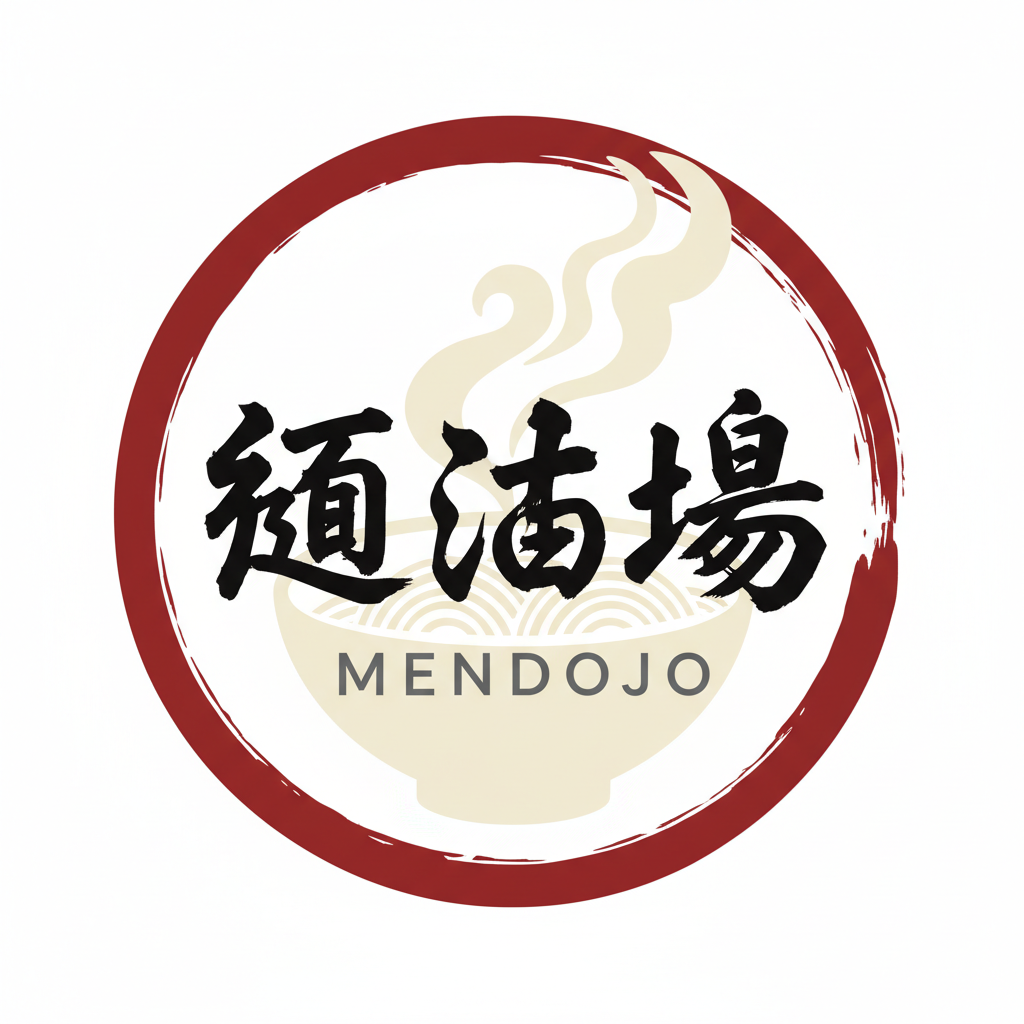
確認ポイント:
- 「麺道場」の3文字が正確に描かれているか(文字化けがないか)
- 力強い書道の筆遣いになっているか
- 「MENDOJO」が下に小さく配置されているか
- 円形の印鑑風デザインになっているか
- 深い赤の枠と湯気のモチーフがあるか
注意: 日本語の複雑な漢字は精度が低下することがあります。生成結果を確認し、必要に応じて画像編集ソフトで修正してください。
3-2. テック系ロゴ
テックスタートアップ用のモダンなロゴを生成します。
プロンプトの意図:
| 要素 | 記述 | 意図 |
|---|---|---|
| 社名 | "NexaFlow" in geometric sans-serif | 幾何学的なモダンフォント |
| 色 | Dark navy (#0a192f) | 信頼感のあるダークネイビー |
| アイコン | Abstract flowing shape | データ/動きを示す抽象形状 |
| グラデーション | electric blue to teal | テック感のある青緑 |
| スケーラビリティ | favicon to billboard | どのサイズでも使える |
Design a modern logo for a tech startup called "NexaFlow".

Text:
- Company name: "NexaFlow" in custom geometric sans-serif
  Modern, clean letterforms
  The "N" and "F" can have unique stylization
  Color: Dark navy (#0a192f)

Icon Element:
- Abstract flowing shape suggesting data/movement
- Gradient from electric blue to teal
- Minimalist, geometric
- Can work standalone as an app icon

Design Principles:
- Clean, minimal, no unnecessary elements
- Scalable from favicon to billboard
- Professional and trustworthy
- Innovative but not overly complex

Layout Options:
- Icon to the left of text (horizontal lockup)
- Centered icon above text (stacked lockup)

Background: Pure white.
Style: Silicon Valley tech aesthetic, premium quality.
クリックしてPythonコマンドを生成
生成例:
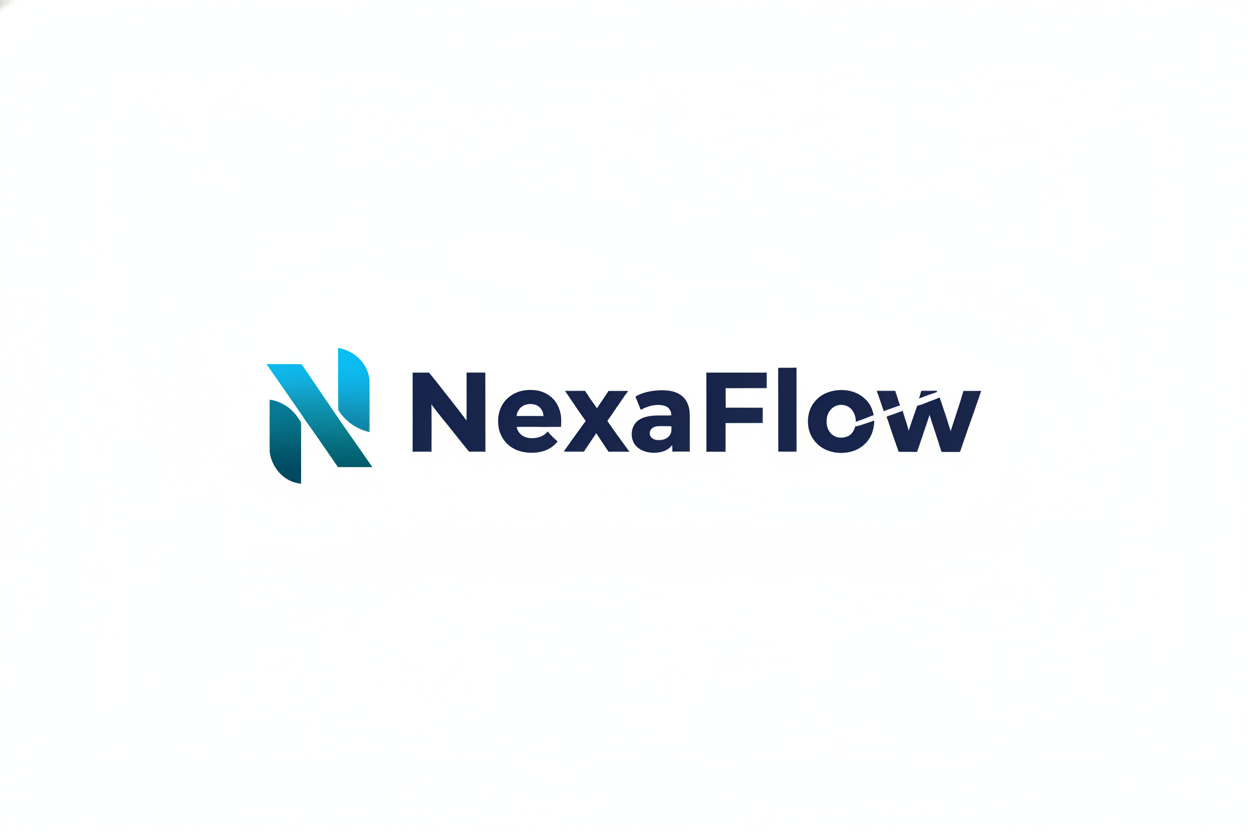
確認ポイント:
- 「NexaFlow」がクリーンな幾何学的フォントで表示されているか
- 抽象的な流れる形状のアイコンがあるか
- 青から緑へのグラデーションになっているか
- ミニマルで必要以上の要素がないか
- どのサイズでも使えそうなスケーラブルなデザインか
3-3. カフェロゴ
温かみのあるカフェ用ロゴを生成します。
プロンプトの意図:
| 要素 | 記述 | 意図 |
|---|---|---|
| 店名 | "Morning Brew" in friendly serif | フレンドリーなセリフ体 |
| タグライン | "Est. 2025" | 設立年で歴史感 |
| アイコン | Steaming coffee cup + sun rising | 朝のコーヒーを象徴 |
| スタイル | Artisanal, handcrafted feel | 職人的な手作り感 |
| 色 | Coffee brown, warm orange, cream | 温かみのある色 |
Create a logo for a cozy coffee shop called "Morning Brew".

Text Elements:
- Name: "Morning Brew" in friendly serif font
  Warm brown color (#5D4037)
  Slightly curved baseline for friendly feel

- Tagline: "Est. 2025" in small text below
  Lighter brown

Icon:
- Steaming coffee cup silhouette
- Sun rising motif incorporated (morning theme)
- Simple, hand-drawn aesthetic
- Warm colors: browns, oranges, cream

Design Style:
- Artisanal, handcrafted feel
- Cozy and inviting
- Vintage-inspired but not dated
- Works on cups, signage, and merchandise

Composition:
- Badge/emblem style with circular border
- Coffee cup centered
- Text wrapped around or below

Color Palette:
- Rich coffee brown (#5D4037)
- Warm orange (#E07C24)
- Cream (#F5F0E8)
クリックしてPythonコマンドを生成
生成例:
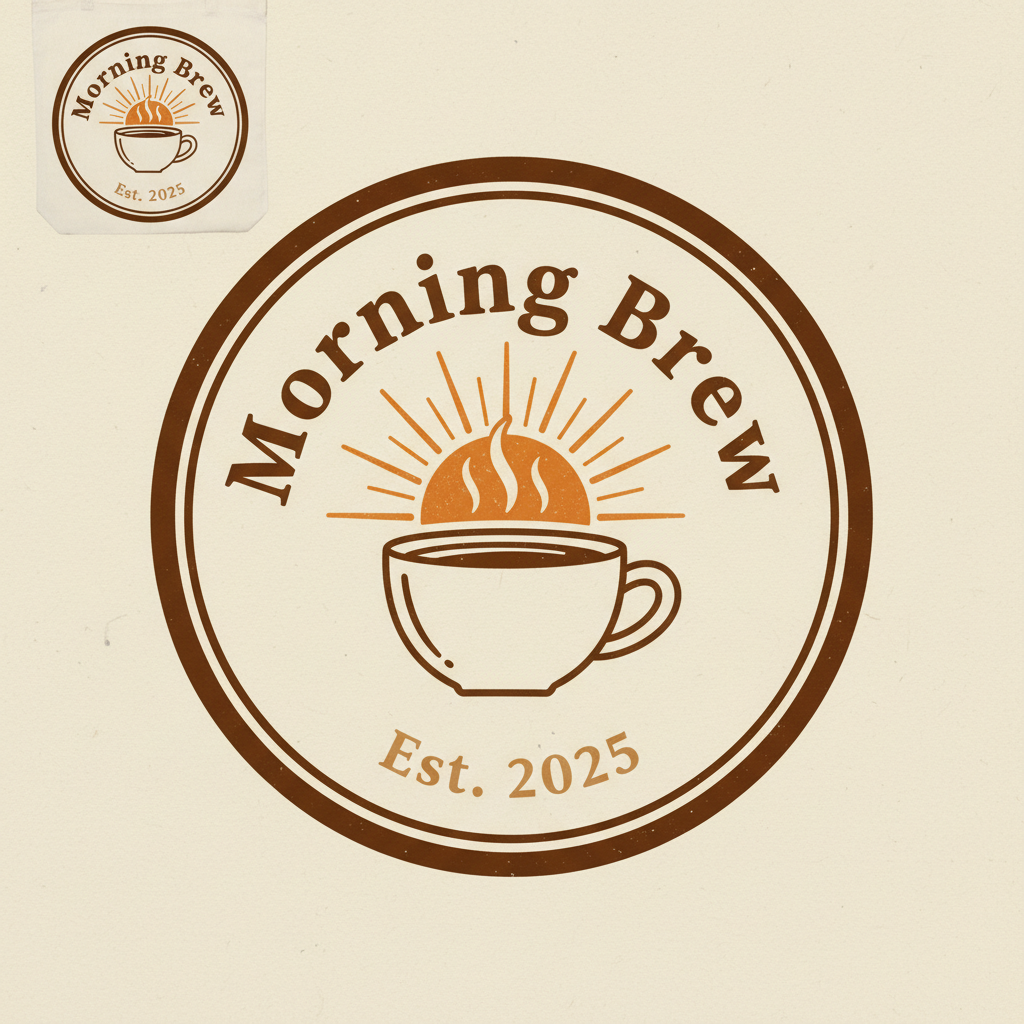
確認ポイント:
- 「Morning Brew」がフレンドリーなセリフ体で表示されているか
- 「Est. 2025」が下に小さく配置されているか
- 湯気の立つコーヒーカップと日の出モチーフがあるか
- 円形のバッジ/エンブレムスタイルになっているか
- 温かみのある茶色、オレンジ、クリームの色になっているか
チェックポイント
- 日本語ロゴを生成した
- テック系ロゴを生成した
セクション4: 広告クリエイティブ
4-1. SNS広告
フィットネスアプリ用のSNS広告を生成します。
プロンプトの意図:
| 要素 | 記述 | 意図 |
|---|---|---|
| ヘッドライン | "変わる、30日で" | 日本語で変化を訴求 |
| CTA | "無料で始める" green button | 行動喚起ボタン |
| ビジュアル | Before/After split | ビフォーアフターの対比 |
| 色 | purple to pink gradient | エネルギッシュなグラデーション |
| スタイル | Aspirational, motivating | 憧れを感じさせる |
Create a social media ad for a fitness app.

Dimensions: 1:1 square for Instagram/Facebook feed.

Text Content:
- Headline: "変わる、30日で" (Transform in 30 days)
  Bold, motivational font
  White with subtle shadow

- CTA: "無料で始める" in button style
  Green background, white text

Visual Elements:
- Before/After split showing transformation
- Dynamic, energetic composition
- Person in athletic pose
- Subtle motion blur for energy

Color Scheme:
- Energetic gradients (purple to pink)
- High contrast for visibility
- App UI mockup visible in corner

Style:
- Aspirational, motivating
- Clean, modern fitness aesthetic
- Professional photography look
クリックしてPythonコマンドを生成
生成例:
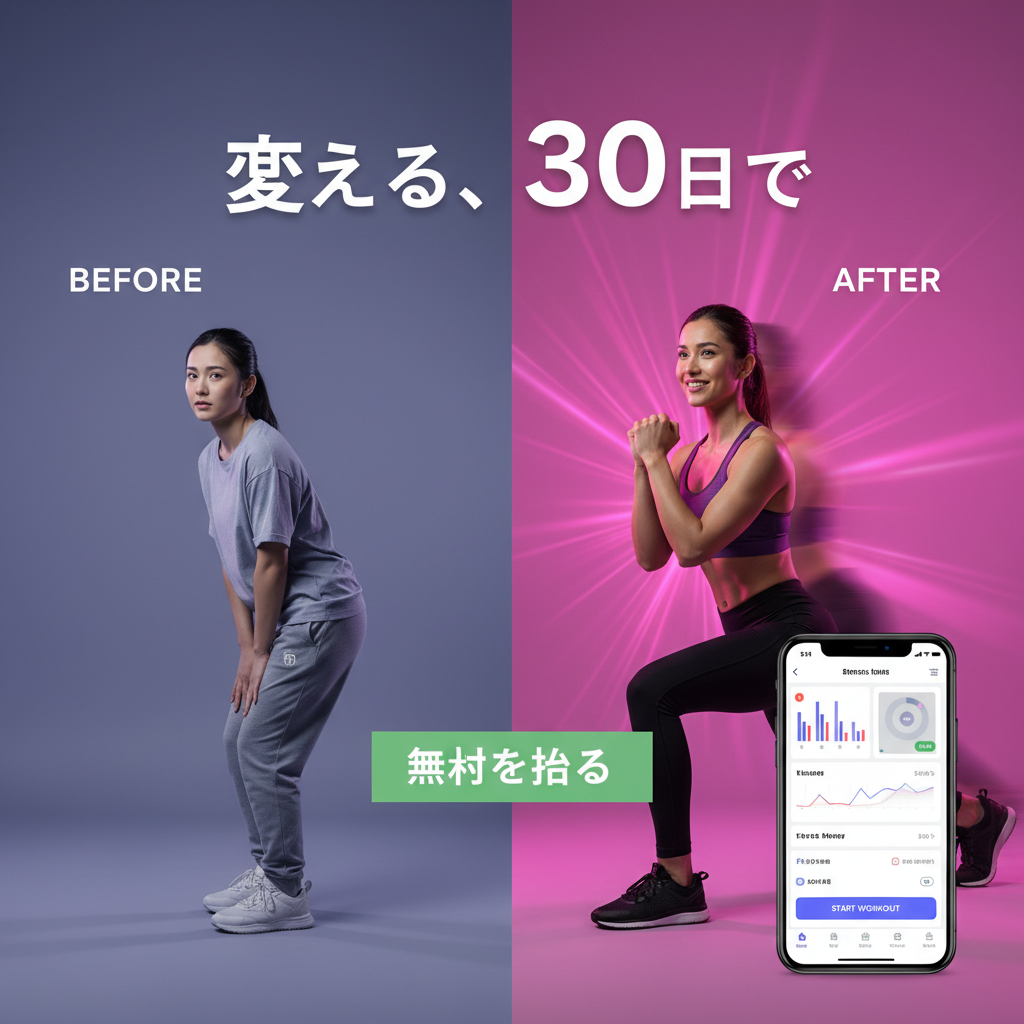
確認ポイント:
- 「変わる、30日で」が大きく白文字で表示されているか
- 「無料で始める」ボタンが緑背景で表示されているか
- ビフォーアフターの分割構図になっているか
- 紫からピンクのエネルギッシュなグラデーションがあるか
- アプリUIのモックアップが角に表示されているか
4-2. リターゲティング広告
ECサイトのリターゲティング広告を生成します。
プロンプトの意図:
| 要素 | 記述 | 意図 |
|---|---|---|
| メインテキスト | "お気に入り、まだありますよ" | 日本語で再訪を促す |
| ディスカウント | "20% OFF" in red/coral | 割引でアクションを促進 |
| CTA | "今すぐ見る" button | 行動喚起ボタン |
| ビジュアル | Elegant product arrangement | 洗練された商品配置 |
| 色 | Neutral, sophisticated palette | 上品な色合い |
プロンプト:
Create a retargeting ad for an e-commerce clothing store.

Dimensions: 1:1 square.

Text Elements:
- Main: "お気に入り、まだありますよ" (Your favorites are still here)
  Elegant, fashion-forward font
  Black text

- Discount: "20% OFF" in accent color
  Red or coral

- CTA: "今すぐ見る" button

Visual:
- Elegant product arrangement (clothing items)
- Soft, aspirational lifestyle setting
- Neutral, sophisticated color palette
- Clean white space

Style:
- High-end fashion e-commerce
- Minimal, premium aesthetic
- Focus on products
クリックしてPythonコマンドを生成
生成例:
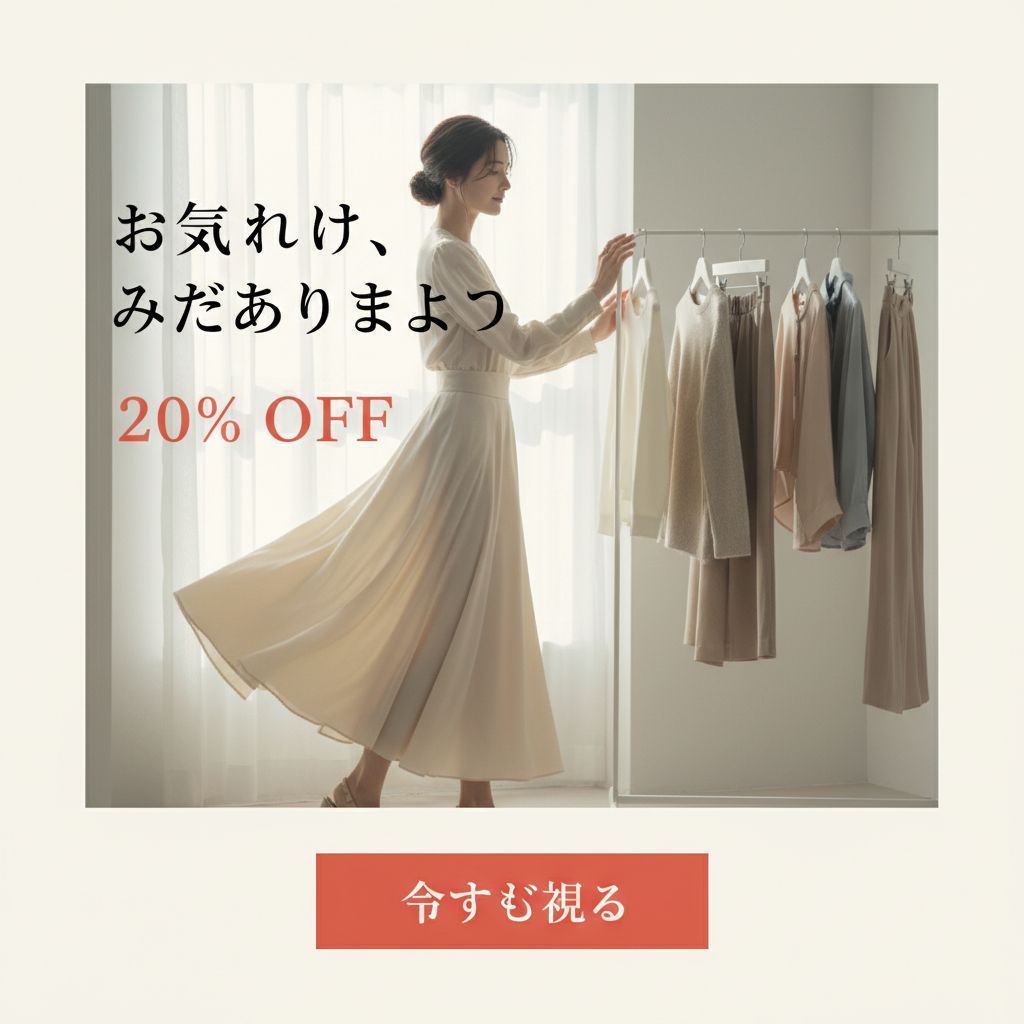
確認ポイント:
- 「お気に入り、まだありますよ」が読みやすく表示されているか
- 「20% OFF」が目立つ赤/コーラル色になっているか
- 「今すぐ見る」ボタンが配置されているか
- 洗練された商品配置になっているか
4-3. ディスプレイ広告バナー
旅行予約サイト用のディスプレイバナー広告を生成します。
プロンプトの意図:
| 要素 | 記述 | 意図 |
|---|---|---|
| ヘッドライン | "Dream Destinations Await" | 冒険心を刺激するコピー |
| サブテキスト | "Up to 40% off selected hotels" | 割引で行動を促進 |
| CTA | "Book Now" on right side | 右側に配置したCTAボタン |
| ビジュアル | tropical beach destination | 憧れの旅行先 |
| 色 | Ocean blues, teals, sunset oranges | リゾート感のある色 |
プロンプト:
Create a display banner ad for a travel booking site.

Dimensions: Wide banner (21:9).

Text:
- Headline: "Dream Destinations Await"
  Large, adventurous font
  White text

- Subtext: "Up to 40% off selected hotels"
  Smaller, below headline

- CTA: "Book Now" button on right side

Visual:
- Stunning tropical beach destination
- Crystal clear water, palm trees
- Overlay gradient for text legibility
- Clean, aspirational travel photography

Colors:
- Ocean blues and teals
- Sunset oranges as accents
- White text for contrast

Style: Premium travel, inspirational, click-worthy.
クリックしてPythonコマンドを生成
生成例:
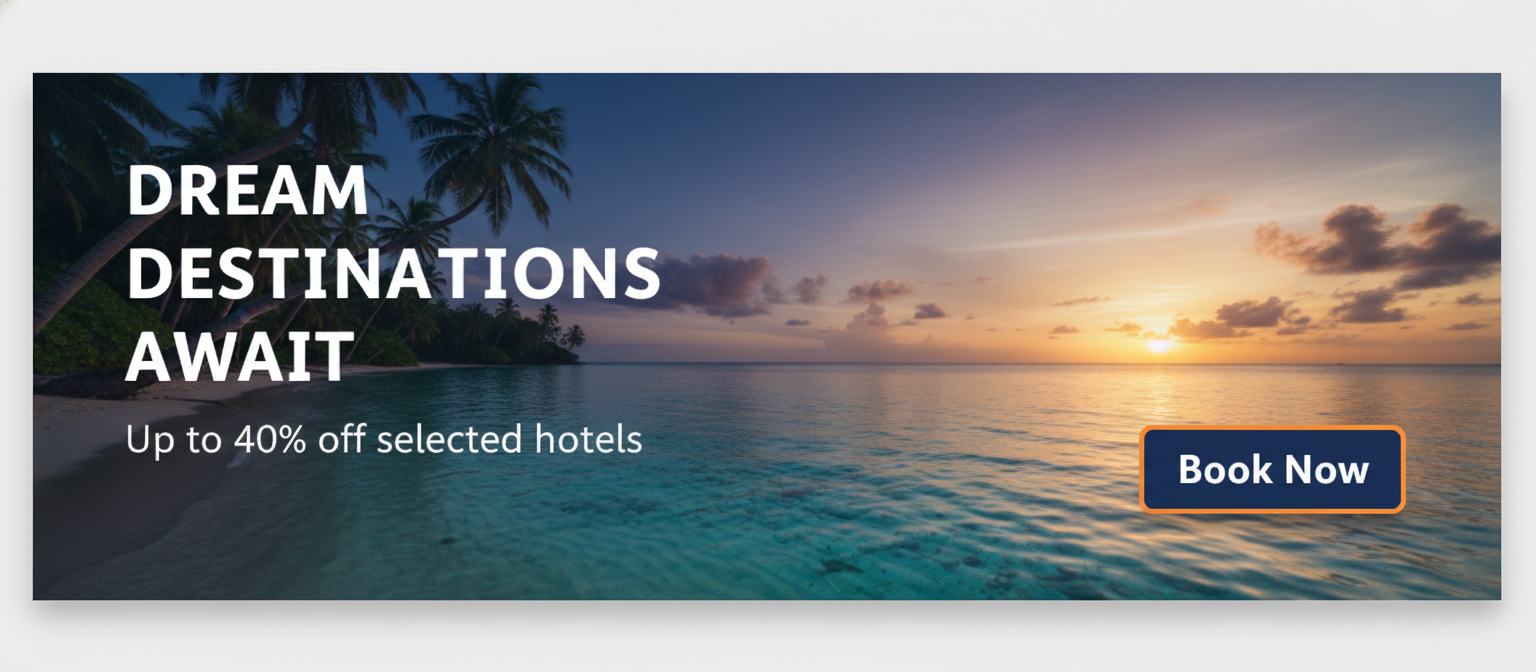
確認ポイント:
- 「Dream Destinations Await」が大きく白文字で表示されているか
- 「Up to 40% off」がその下に配置されているか
- 「Book Now」ボタンが右側にあるか
- トロピカルビーチの美しい写真になっているか
- 海の青とサンセットオレンジの色使いになっているか
チェックポイント
- SNS広告を生成した
- リターゲティング広告を生成した
- ディスプレイ広告を生成した
セクション5: 商品画像
5-1. 白背景商品撮影風
EC向けの白背景商品写真を生成します。
プロンプトの意図:
| 要素 | 記述 | 意図 |
|---|---|---|
| 商品 | minimalist wristwatch | ミニマルな腕時計 |
| 素材 | silver watch, brown leather strap | シルバー×レザーの高級感 |
| 背景 | Pure white seamless background | EC標準の白背景 |
| 照明 | Professional studio lighting | プロのスタジオ照明 |
| 構図 | slight angle for dimension | 立体感を出す斜め配置 |
プロンプト:
Create a professional product photo of a minimalist wristwatch.

Product Details:
- Modern, slim silver watch
- White dial with minimal markers
- Brown leather strap
- Clean, elegant design

Photography Style:
- Pure white seamless background
- Professional studio lighting
- Soft shadows for depth
- Watch positioned at slight angle for dimension

Technical:
- Sharp focus throughout
- Even lighting, no harsh shadows
- Product fills 60% of frame
- E-commerce ready quality

Style: Amazon/e-commerce product photography standard.
クリックしてPythonコマンドを生成
生成例:
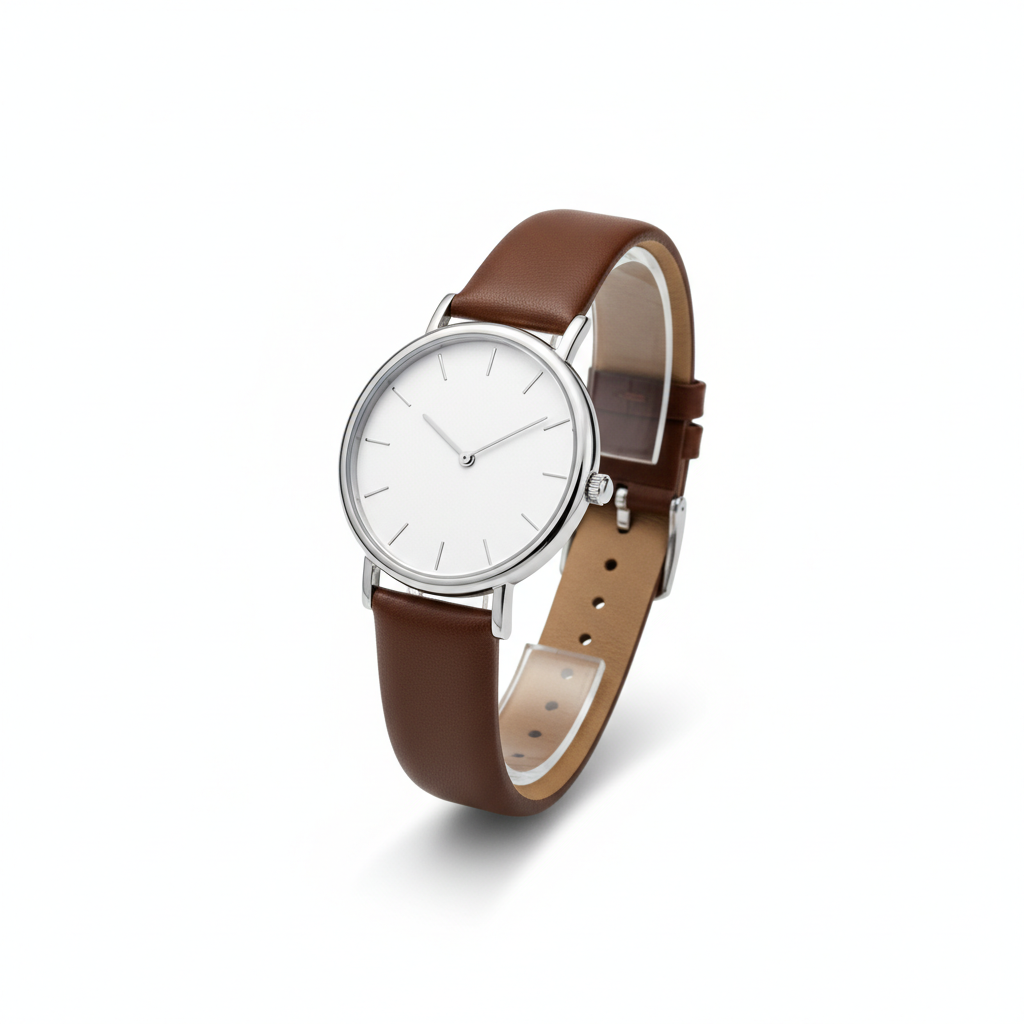
確認ポイント:
- 純白のシームレス背景になっているか
- 腕時計が斜め配置で立体感があるか
- 柔らかい影で深みが出ているか
- シャープなフォーカスで商品が鮮明か
5-2. ライフスタイル商品撮影
生活シーンに溶け込んだライフスタイル商品写真を生成します。
プロンプトの意図:
| 要素 | 記述 | 意図 |
|---|---|---|
| 商品 | pour-over coffee maker | ハンドドリップコーヒーメーカー |
| シーン | Modern kitchen, morning sunlight | 朝のキッチン、自然光 |
| アクション | Fresh coffee being poured, steam rising | 動きと温かみ |
| 小道具 | ceramic cup, coffee beans, pastry | ライフスタイル感を演出 |
| 雰囲気 | Warm, inviting, Instagram-worthy | SNS映えする温かい雰囲気 |
プロンプト:
Create a lifestyle product photo for a premium coffee maker.

Product: Modern pour-over coffee maker
- Glass carafe with wooden collar
- Elegant, minimalist design

Setting:
- Modern kitchen countertop
- Morning sunlight through window
- Fresh coffee being poured
- Steam rising from the coffee

Props:
- White ceramic cup
- Coffee beans scattered artfully
- Fresh pastry on plate
- Linen napkin

Style:
- Warm, inviting atmosphere
- Aspirational lifestyle imagery
- Natural lighting feel
- Instagram-worthy aesthetic

Colors: Warm wood tones, white, coffee browns.
クリックしてPythonコマンドを生成
生成例:
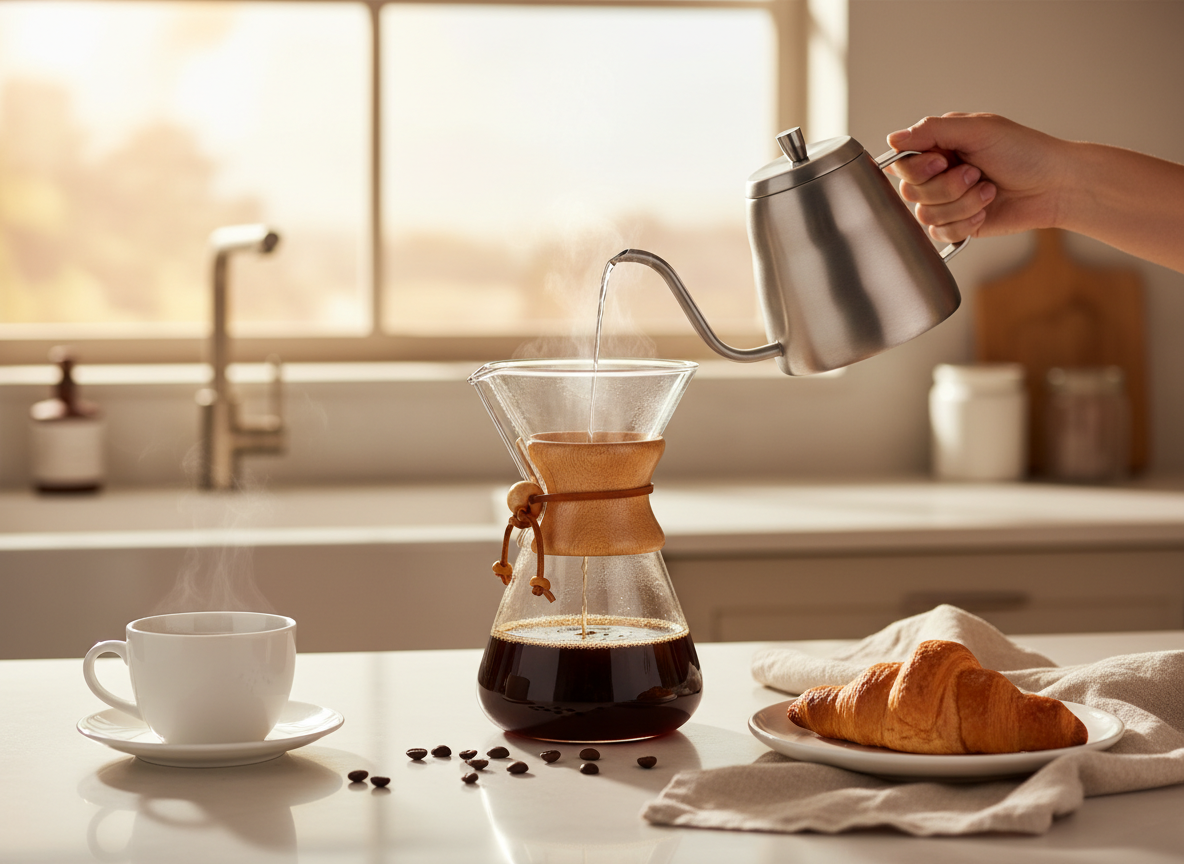
確認ポイント:
- モダンなキッチンカウンターの上に配置されているか
- 窓からの朝の光が感じられるか
- コーヒーを注ぐ動きと湯気が表現されているか
- 小道具(カップ、豆、ペストリー)が自然に配置されているか
- 温かみのある木目調と白、コーヒーブラウンの色使いか
5-3. 化粧品・スキンケア
高級スキンケア商品の広告写真を生成します。
プロンプトの意図:
| 要素 | 記述 | 意図 |
|---|---|---|
| 商品 | glass serum bottle, frosted glass, gold cap | 高級感のあるセラムボトル |
| 構図 | Product as hero, centered | 商品を主役に中央配置 |
| エフェクト | Floating droplets, water splash | みずみずしさを演出 |
| 背景 | soft pink to white gradient | 柔らかいピンク〜白のグラデ |
| 照明 | Soft front light with rim highlighting | 商品の輪郭を際立たせる |
プロンプト:
Create a luxury skincare product photo.

Product:
- Elegant glass serum bottle
- Frosted glass with gold cap
- Minimalist label design

Composition:
- Product as hero, centered
- Floating droplets around the bottle
- Soft, ethereal lighting
- Gradient background (soft pink to white)

Elements:
- Water splash/droplets for freshness
- Subtle leaf or botanical element
- Golden light accents
- Premium, spa-like atmosphere

Style:
- High-end beauty advertising
- Soft, luminous quality
- Clean and sophisticated
- Magazine-worthy

Lighting: Soft front light with rim highlighting.
クリックしてPythonコマンドを生成
生成例:
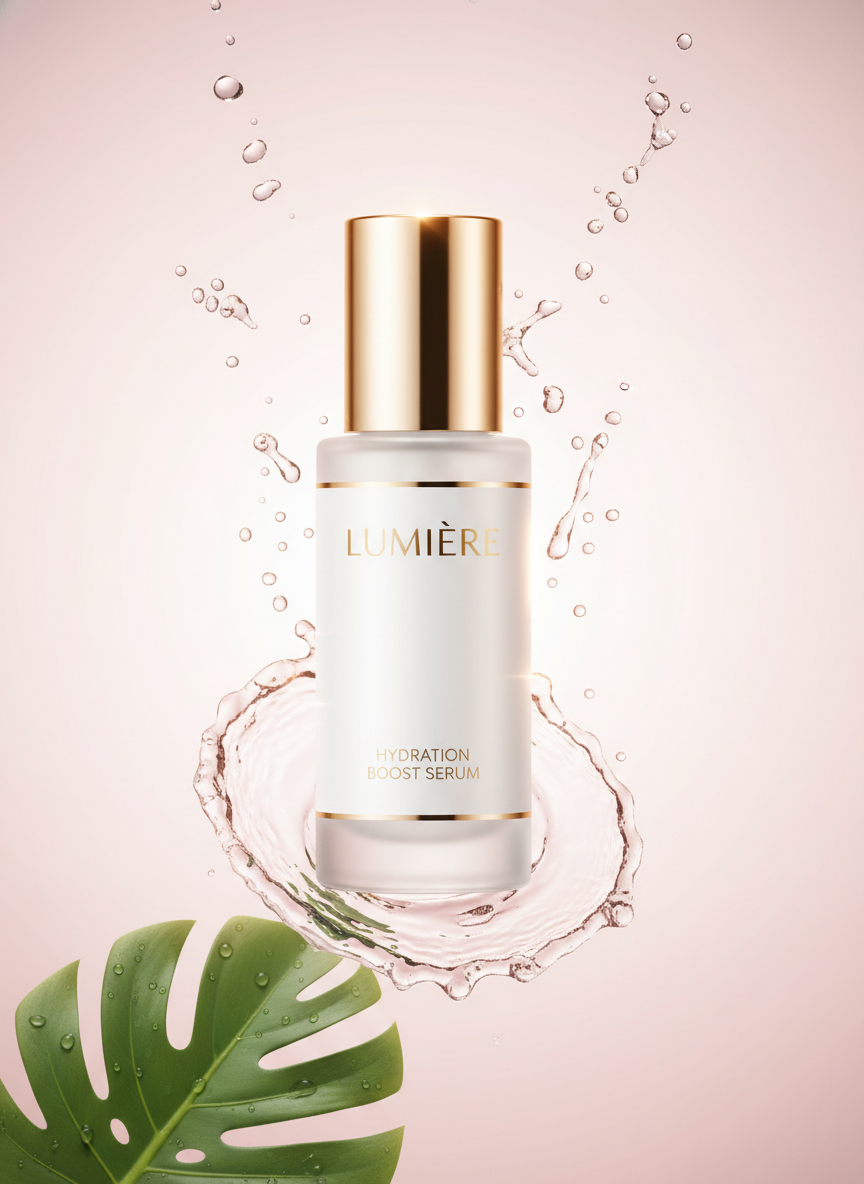
確認ポイント:
- 高級感のあるガラスボトルが中央に配置されているか
- 浮遊する水滴やスプラッシュエフェクトがあるか
- ソフトピンクから白へのグラデーション背景になっているか
- リムライトで商品の輪郭が際立っているか
- 雑誌広告レベルの仕上がりになっているか
チェックポイント
- 白背景商品画像を生成した
- ライフスタイル商品画像を生成した
- 化粧品商品画像を生成した
セクション6: SNS投稿画像
6-1. Instagram投稿
フードブロガー向けのInstagram投稿画像を生成します。
プロンプトの意図:
| 要素 | 記述 | 意図 |
|---|---|---|
| 被写体 | acai bowl | 映えるアサイーボウル |
| 構図 | Overhead shot (flat lay) | 俯瞰のフラットレイ |
| トッピング | berries, banana, granola, coconut | カラフルなトッピング |
| 設定 | Light wooden table, morning light | ナチュラルな朝の雰囲気 |
| スタイル | Instagram aesthetic, drool-worthy | SNS映え、食欲そそる |
プロンプト:
Create an Instagram post image for a food blogger.

Content: Beautiful acai bowl

Composition:
- Overhead shot (flat lay)
- Bowl centered in frame
- Colorful toppings arranged artfully
- Props around the bowl (spoon, napkin, flowers)

Visual Details:
- Fresh berries, sliced banana, granola
- Coconut flakes, chia seeds
- Drizzle of honey
- Mint leaf garnish

Setting:
- Light wooden table or marble surface
- Natural morning light
- Soft shadows
- Clean, minimal styling

Colors:
- Vibrant purples and pinks (acai)
- Fresh greens
- Warm wood tones
- Pops of red from berries

Style: Food photography, Instagram aesthetic, drool-worthy.
クリックしてPythonコマンドを生成
生成例:
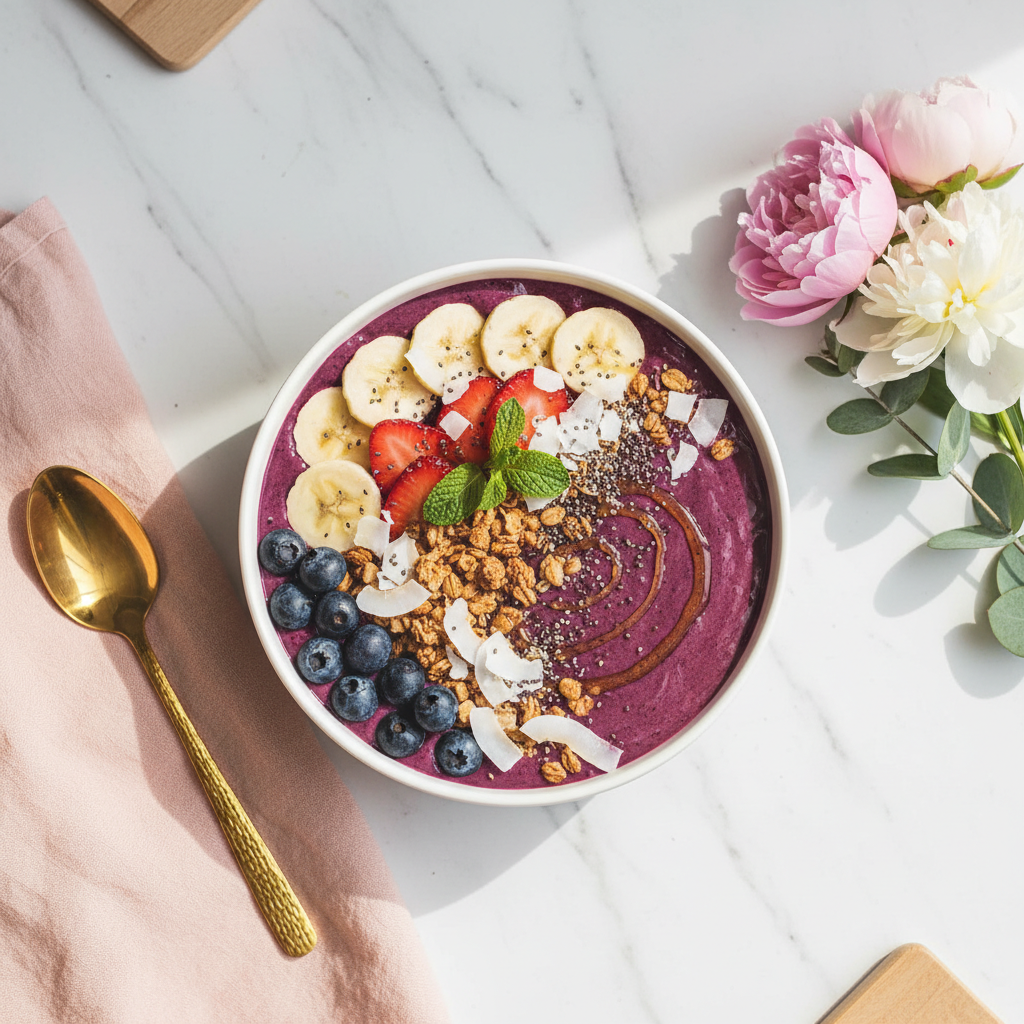
確認ポイント:
- 俯瞰(真上から)のフラットレイ構図になっているか
- ボウルが中央に配置されているか
- トッピング(ベリー、バナナ、グラノーラ)がアート的に配置されているか
- 木目やマーブルのテーブル、自然光の雰囲気があるか
- 紫/ピンク(アサイー)と緑、赤のカラフルな色使いか
6-2. Instagram Stories
新商品発表用のInstagramストーリーズ画像を生成します。
プロンプトの意図:
| 要素 | 記述 | 意図 |
|---|---|---|
| テキスト | "NEW DROP", "Coming Soon" | 新商品発表のティーザー |
| CTA | "Swipe Up" with arrow | スワイプ誘導 |
| 背景 | pink to purple gradient | トレンディなグラデーション |
| エフェクト | Sparkle/glitter effects | キラキラ効果で注目 |
| スタイル | Gen-Z aesthetic | Z世代向けのデザイン |
プロンプト:
Create an Instagram Story announcement graphic.

Content: New product launch announcement

Dimensions: 9:16 vertical (Stories format)

Text:
- "NEW DROP" at top in bold
- "Coming Soon" in elegant script
- "Swipe Up" at bottom with arrow

Visual Elements:
- Product silhouette/teaser (cosmetic item)
- Gradient background (pink to purple)
- Sparkle/glitter effects
- Countdown-style urgency

Design:
- Bold, attention-grabbing
- Mobile-optimized (text readable)
- On-brand colors
- Clear call to action

Style: Trendy, Gen-Z aesthetic, engaging.
クリックしてPythonコマンドを生成
生成例:
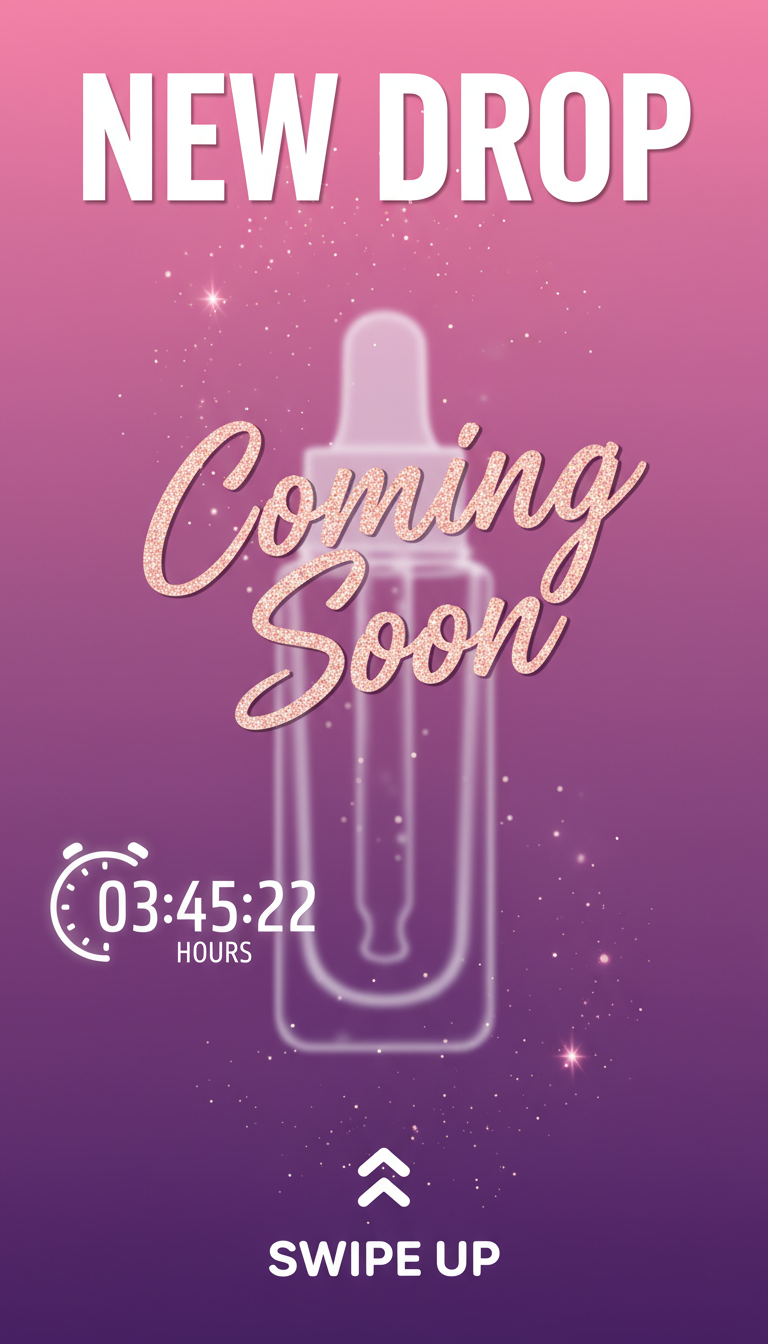
確認ポイント:
- 「NEW DROP」が上部に太字で表示されているか
- 「Coming Soon」がエレガントなスクリプト体で配置されているか
- 「Swipe Up」と矢印が下部にあるか
- ピンクから紫へのグラデーション背景になっているか
- キラキラ/グリッターエフェクトがあるか
6-3. Xポスト用画像
X(Twitter)用のモチベーション画像を生成します。
プロンプトの意図:
| 要素 | 記述 | 意図 |
|---|---|---|
| 引用 | "小さな一歩が、大きな変化を生む" | 日本語のインスピレーション |
| タイポグラフィ | Elegant Japanese typography | エレガントな日本語フォント |
| 背景 | dawn colors, mountain silhouette | 夜明けの山のシルエット |
| 雰囲気 | Zen, peaceful | 禅的で穏やかな雰囲気 |
| サイズ | 16:9 (Twitter card optimal) | Xカード最適サイズ |
プロンプト:
Create a Twitter/X post image for a motivational quote.

Content: Inspirational quote graphic

Text:
- Quote: "小さな一歩が、大きな変化を生む"
  (Small steps create big changes)
  Elegant Japanese typography
  White text

Design:
- Minimalist, clean layout
- Subtle gradient background (dawn colors)
- Mountain silhouette at bottom
- Sunrise lighting effect

Dimensions: 16:9 (Twitter card optimal)

Style:
- Zen, peaceful
- Inspirational but not cheesy
- Professional quality
- Shareable, retweet-worthy
クリックしてPythonコマンドを生成
生成例:
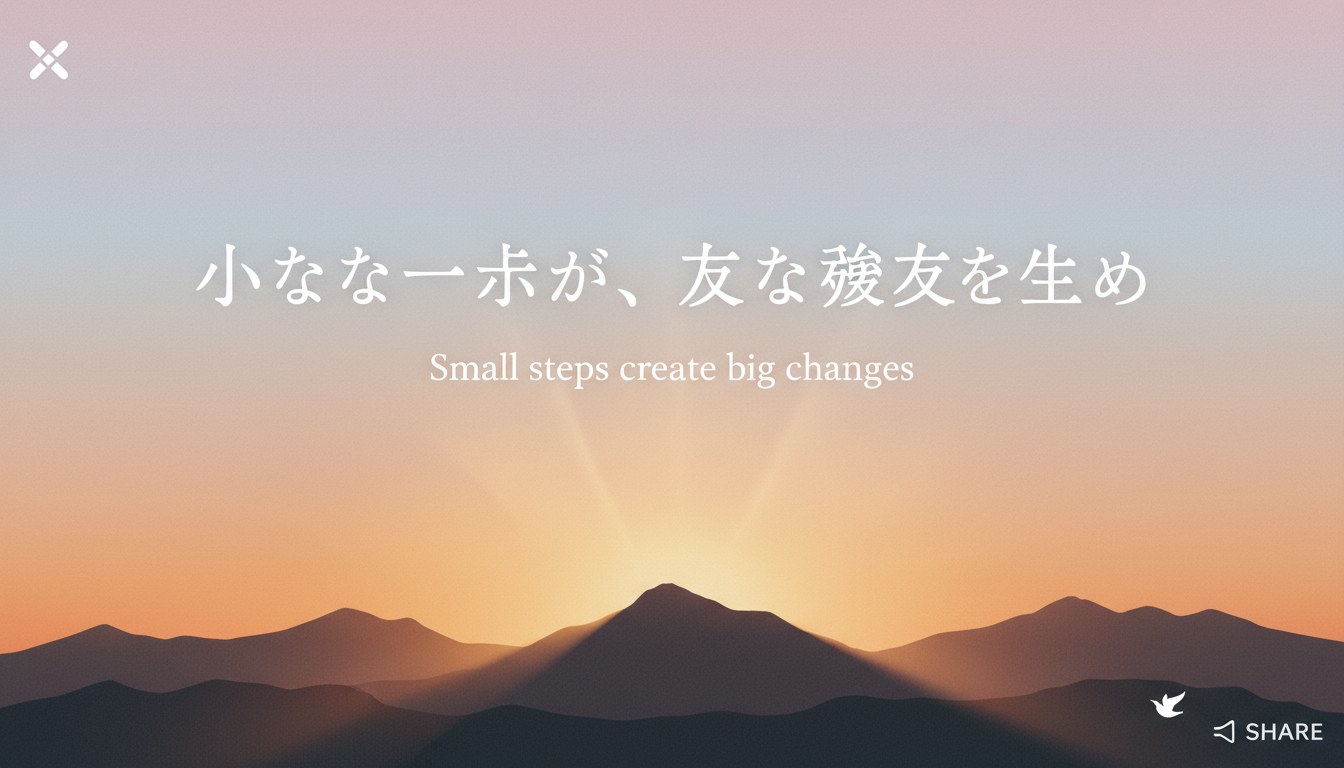
確認ポイント:
- 日本語の引用が読みやすく表示されているか
- 夜明けの色(ピンク、オレンジ、紫)のグラデーション背景になっているか
- 下部に山のシルエットがあるか
- 禅的で穏やかな雰囲気が出ているか
- シェアしたくなるプロフェッショナルな仕上がりか
チェックポイント
- Instagram投稿画像を生成した
- Stories用縦型画像を生成した
- Xポスト用画像を生成した
トラブルシューティング
テキストが読みにくい
原因: コントラスト不足、フォントサイズ不足
解決策:
- Add white outline and drop shadow to text
- Use contrasting colors (light text on dark, dark on light)
- Specify "large, bold, easily readable font"
- Add gradient overlay behind text for legibility
ロゴが複雑すぎる
原因: 要素を詰め込みすぎ
解決策:
- 「minimalist」「simple」「clean」を強調
- 要素数を絞る(アイコン1つ + テキスト)
- 「scalable, works at any size」を指定
広告っぽくならない
原因: 構図やカラーが弱い
解決策:
- 「high contrast」「attention-grabbing」を追加
- CTAボタンを明示的に指定
- 「advertising quality」「commercial grade」を追加
商品画像の照明が不自然
原因: 照明指定が不十分
解決策:
Professional studio lighting setup:
- Key light from upper left
- Fill light from right
- Rim light for separation
- Soft shadows, no harsh edges
まとめ
このモジュールで学んだこと
- ウェブバナー: セール、サービス、イベント用バナー
- YouTubeサムネイル: クリック率を高めるデザイン原則
- ロゴデザイン: 日本語ロゴ、テック系、カフェ系
- 広告クリエイティブ: SNS広告、ディスプレイ広告
- 商品画像: 白背景、ライフスタイル、化粧品
- SNS投稿: Instagram、Stories、X用画像
ビジネスコンテンツチェックリスト
- アスペクト比を用途に合わせている
- テキストにコントラストと縁取りがある
- CTAが明確に見える
- ブランドカラーを一貫して使用している
次のステップ
Module 09では、図解・インフォグラフィックの生成について学びます。フローチャート、比較表、タイムラインなどを作成します。
よくある質問
Q: 生成したバナーをそのまま広告に使えますか? A: 基本的には可能ですが、以下に注意してください:
- テキストの正確性を確認(誤字脱字がないか)
- 解像度が十分か確認
- ブランドガイドラインに沿っているか確認
- 必要に応じてデザインソフトで微調整
Q: ロゴデザインの著作権は誰にありますか? A: AI生成画像の著作権は複雑な法的問題です。商用利用する場合は、生成したロゴを参考に、デザイナーが最終版を作成することを推奨します。
Q: YouTubeサムネイルの推奨解像度は? A: YouTubeは1280x720ピクセル以上を推奨しています。Nanobananaで生成した画像は必要に応じてリサイズしてください。
Q: 日本語テキストが正確に表示されないことがあります A: 複雑な漢字は精度が下がることがあります。重要なテキストは、画像生成後にCanvaやPhotoshopで追加することを検討してください。
Q: 複数のバナーサイズを効率的に作れますか? A: はい。まず1つの詳細なプロンプトを作成し、アスペクト比パラメータを変更しながら生成すると効率的です。ただし、構図の調整が必要な場合があります。